
Never pay a late fee again.
Bills, subscriptions, and paychecks in one calm place.
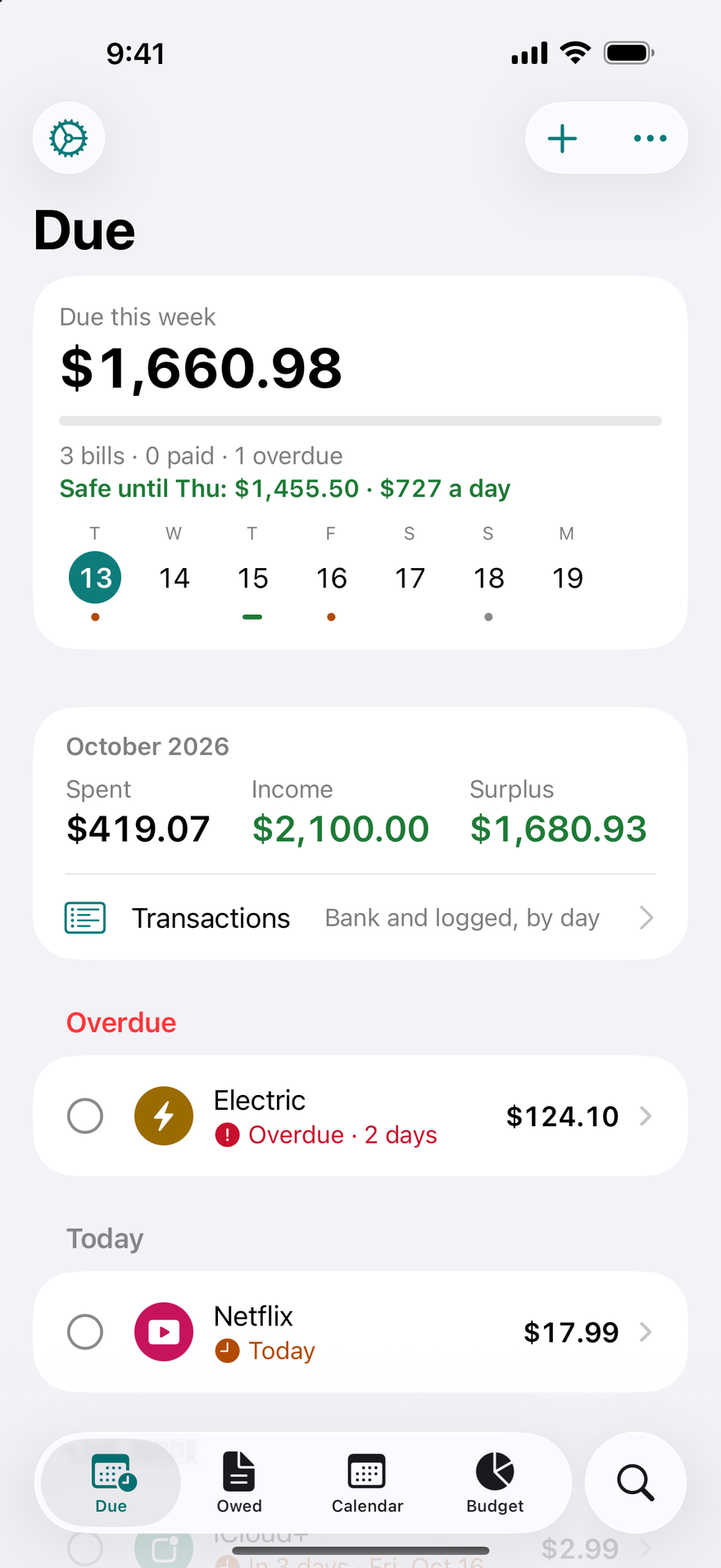
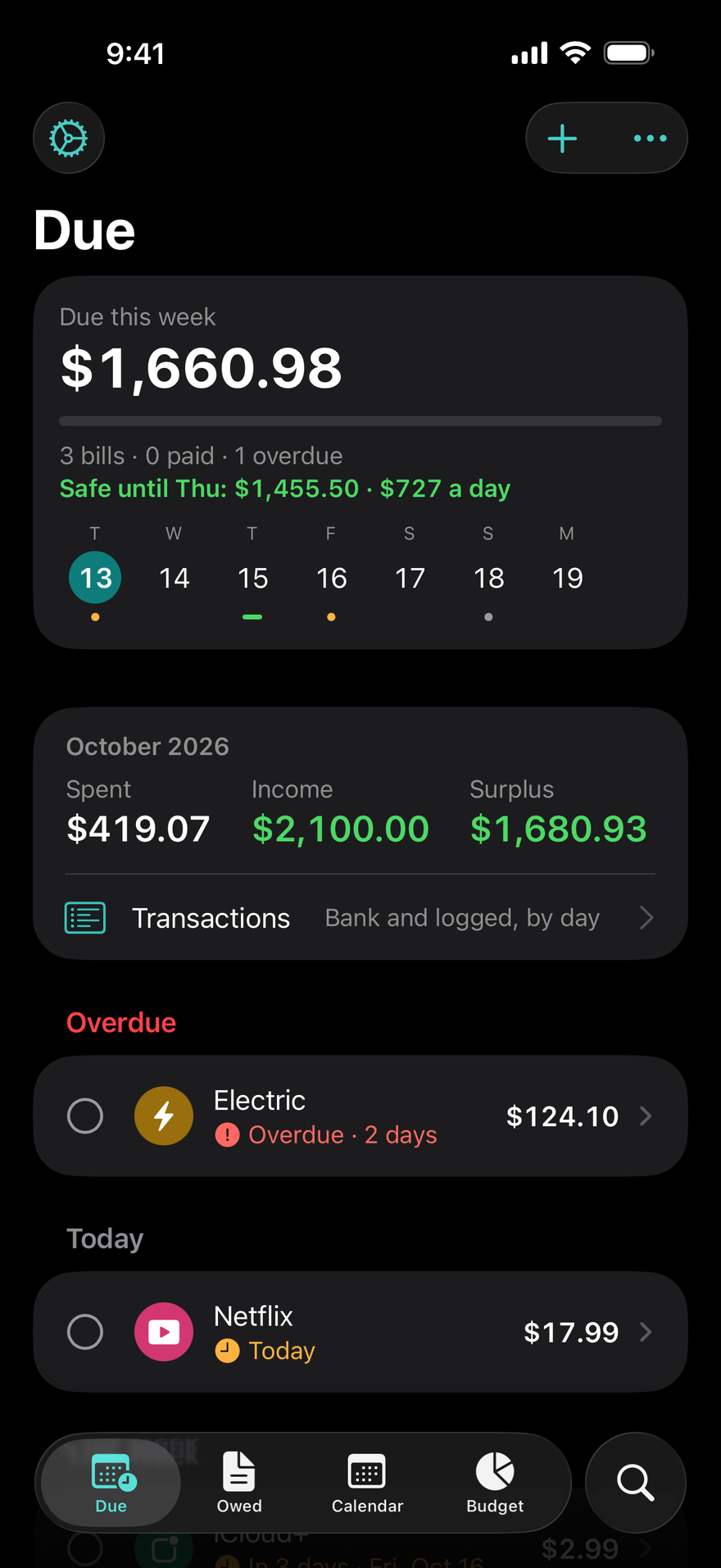
DueBy reminds you before every bill and free trial, shows what your subscriptions really cost per year, and tells you what's safe to spend until payday. DueBy Business adds invoices, a mileage log, and Profit and Loss for the self-employed. No account: your data stays on your devices and in your own iCloud.
- A reminder before every bill, with Mark Paid right in the notification
- Alarms before a subscription's free trial ends, so you cancel in time
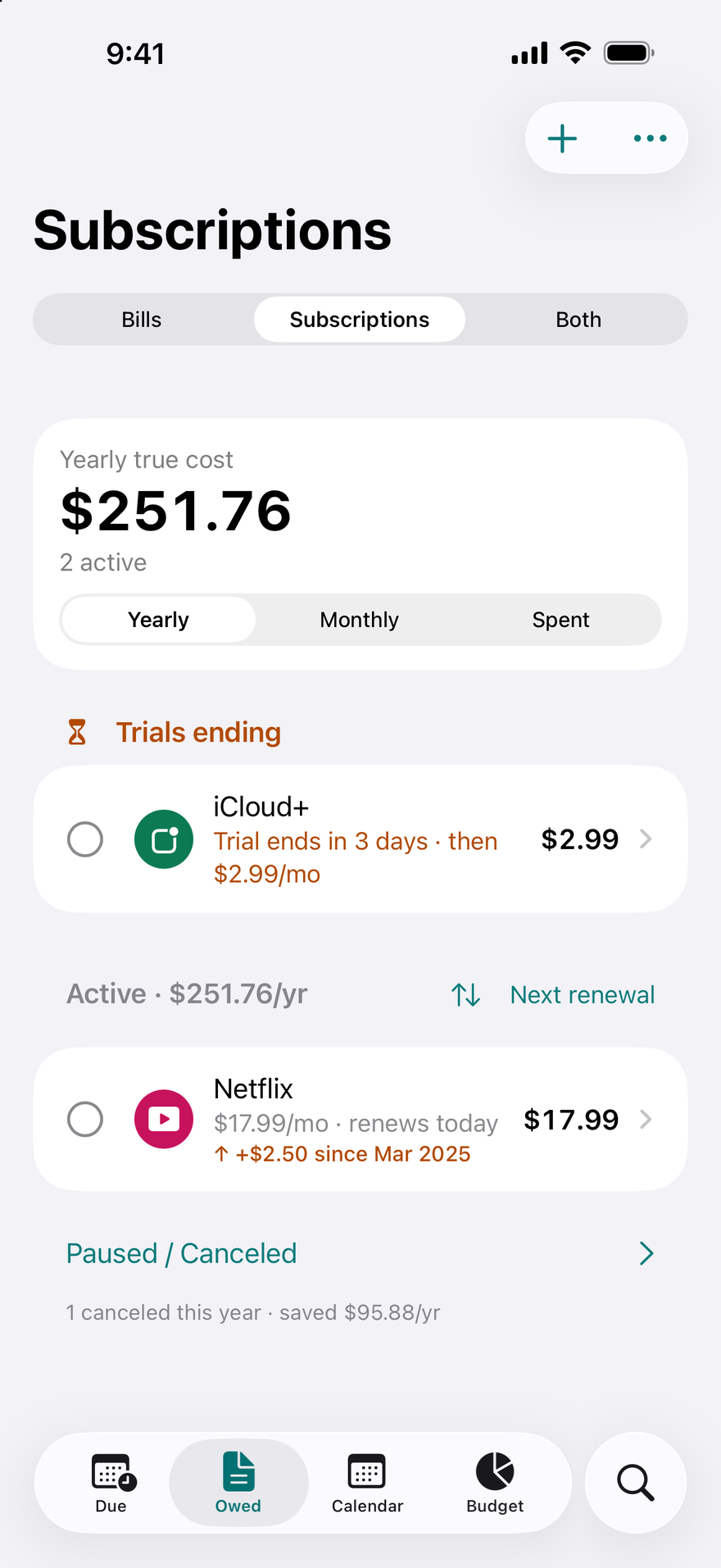
- See what your subscriptions really cost per year
- "Safe until Friday": what's left to spend before your next payday
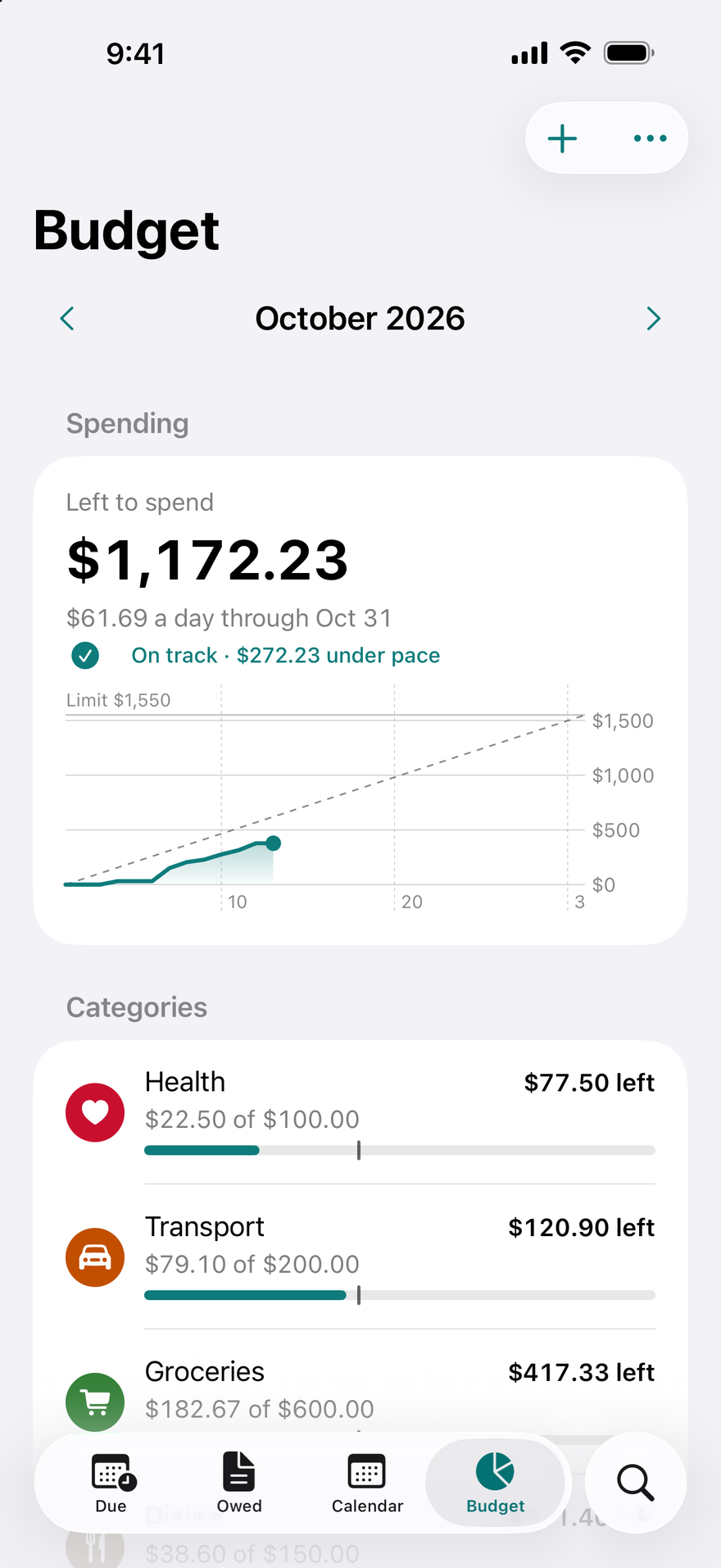
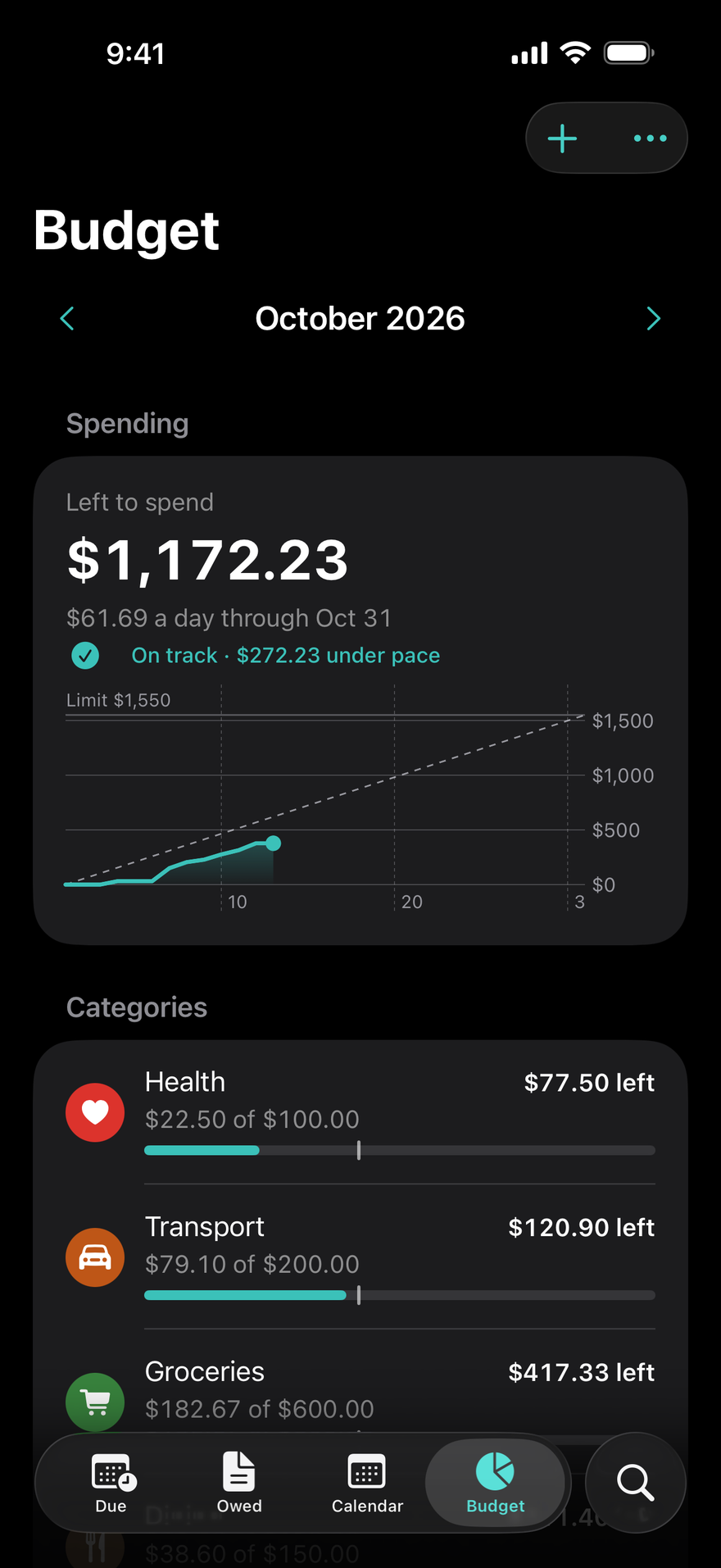
- What's left to spend each day, and where your money went, by category
- Calendar, widgets, Apple Watch, and a native Mac app
- Private by design: Face ID lock, no account, no tracking
- Invoices, a mileage log, and Profit and Loss for the self-employed, with DueBy Business

What sets DueBy apart
Your own iCloud, no DueBy account
Your records stay on your devices and in your own iCloud, where we can't read them, and there's no account to make.
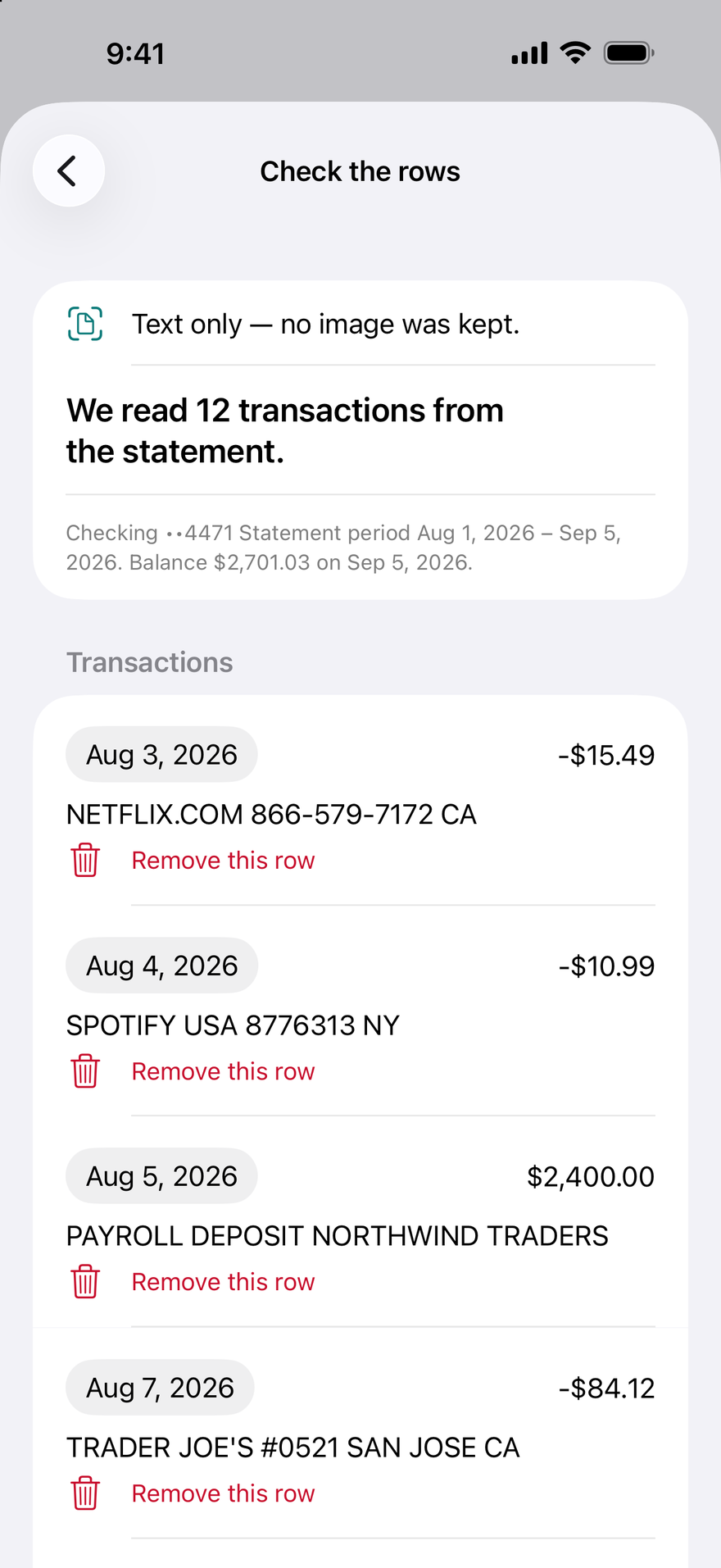
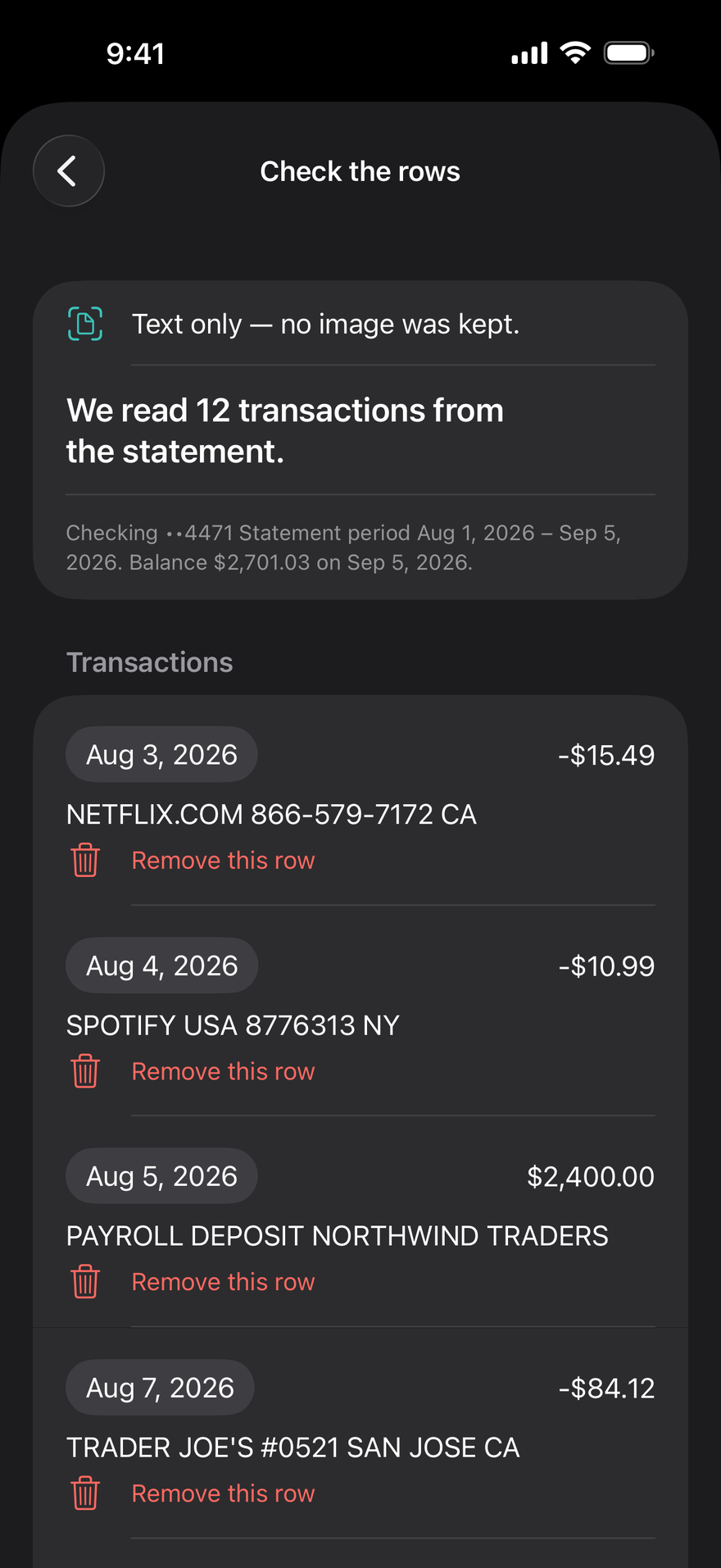
Bank statements without a bank login
Choose the PDF your bank gives you, or photograph or scan a page: DueBy reads it on your device, and it's never sent to us.
Share account by account
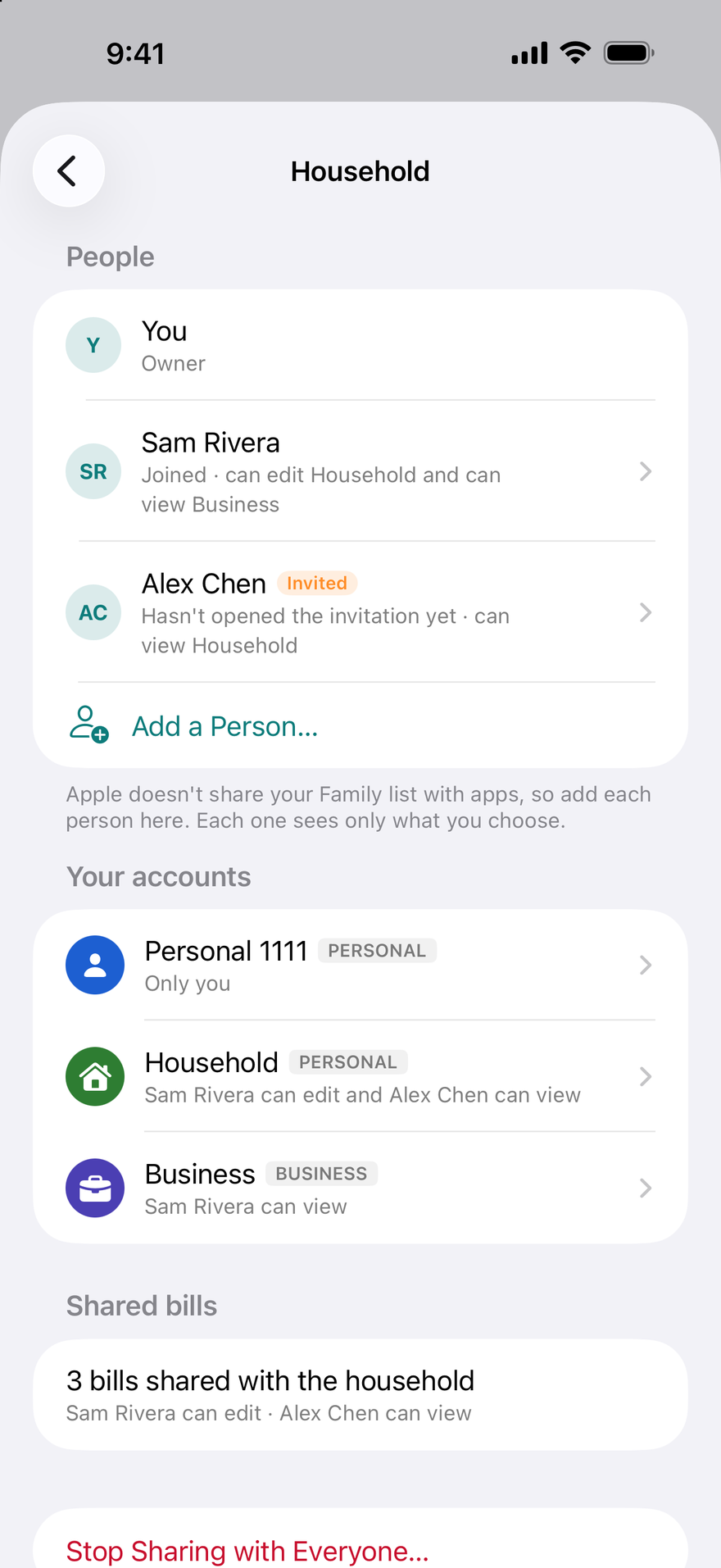
Invite each person with their own link, choose View Only or Can Edit for each account, and change or remove it any time.
Personal and business in one app
Bills, subscriptions, and a budget, with DueBy Business adding invoices, an automatic mileage log, Profit and Loss, and US tax lines.
Change History on every record
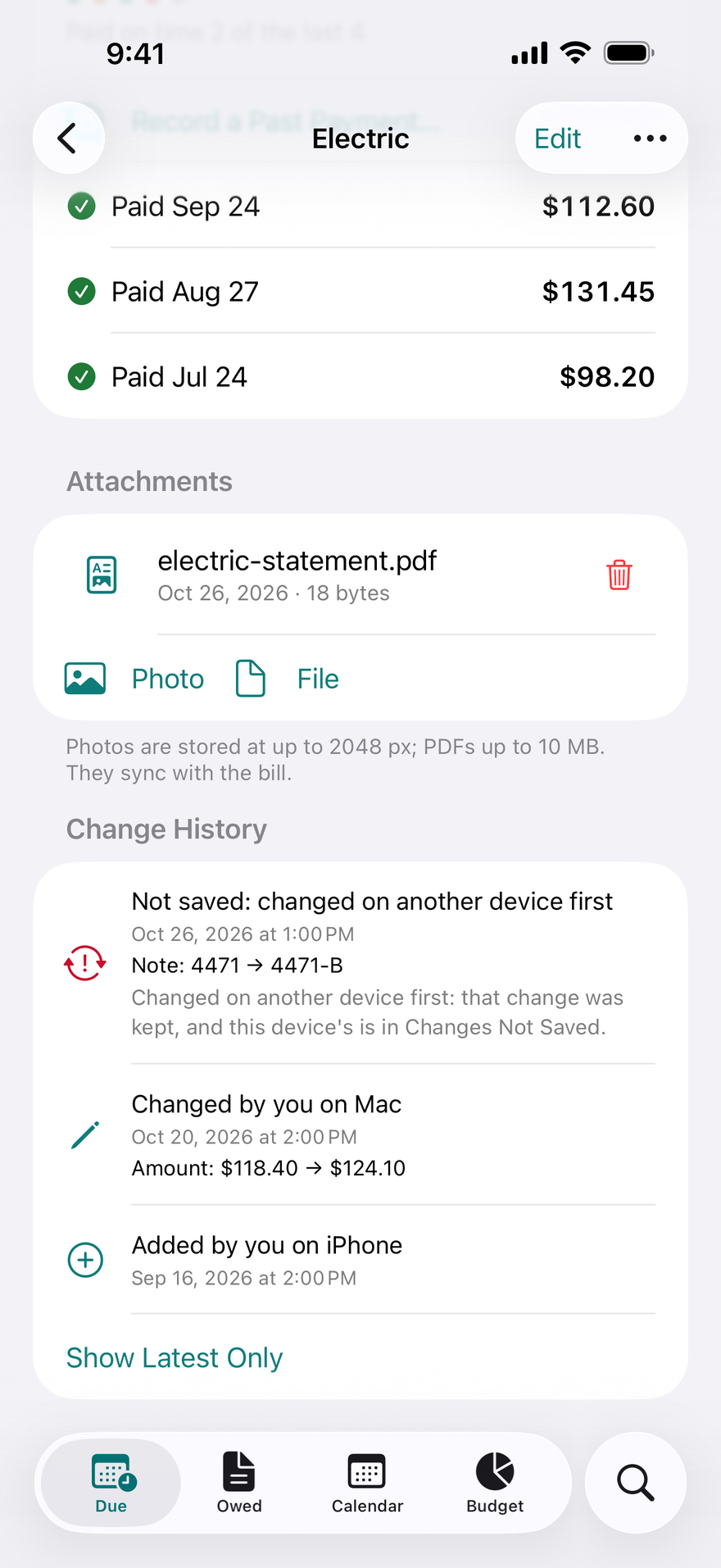
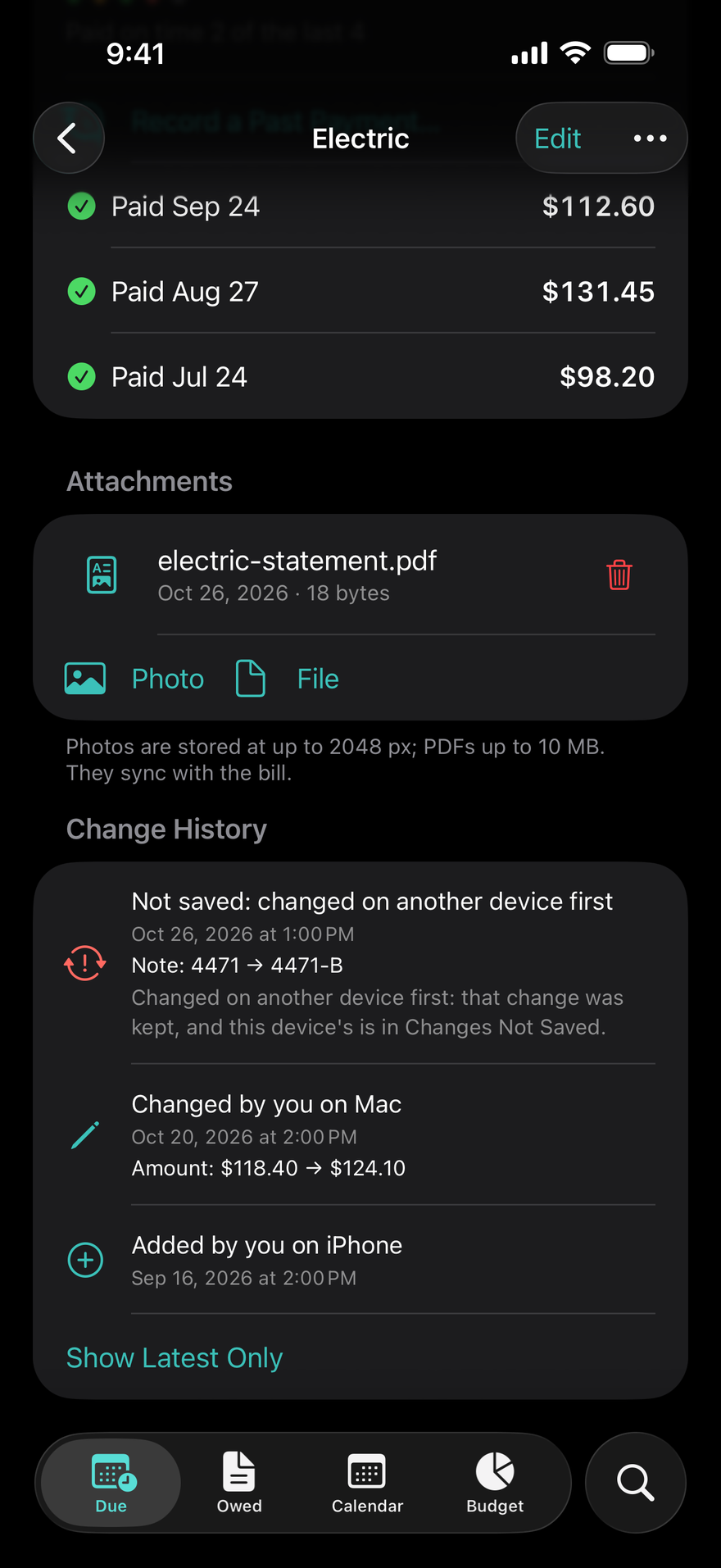
Each record's page shows what changed, when, and on which device.
Native on iPhone, iPad, Mac, and Apple Watch
An app made for each, with the same data on all of them through your iCloud, in twenty-three languages.
How it works
- 1
Add your first three bills
Rent, phone, Netflix, whatever comes to mind. Amount, due day, repeat. Thirty seconds each, and a calendar you can trust.
- 2
Get reminded before the due date
A week before, three days before and on the day, on iPhone, Apple Watch, and Mac. Tap Mark Paid in the notification and move on.
- 3
See what's safe to spend
DueBy lines your bills up against your income, so the Due screen says exactly what's left until payday.
The subscription gap
People guess their subscriptions cost about $86 a month. The real average is about $219.
C+R Research, subscription survey
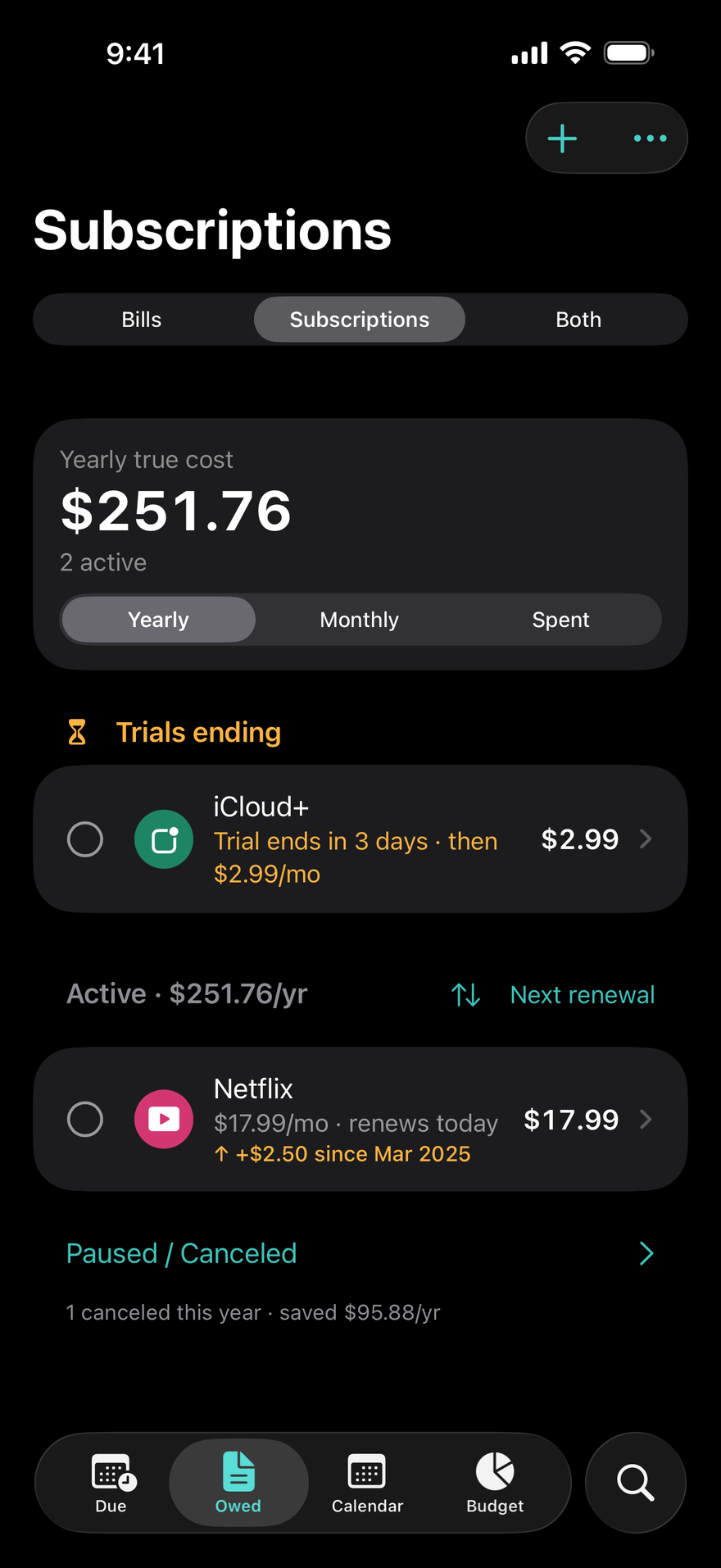
DueBy keeps every trial, renewal, and price change in one list, with a yearly total that's hard to ignore and a cancel link on every subscription.
Budget
A budget that follows your income, not just the calendar.
Budget opens on what's left to spend and what that is a day, with a pace chart against last month. Each payday gets its own card: the income that lands in it, the bills due before the next one, and what's left of the month. No regular paychecks? Choose weekly, every 2 weeks, twice a month, monthly, or your own pay period. Category limits track your pace through the month, Transactions shows where the money went, and your goals and an emergency fund sit beside the bills.
Loans
Every loan, down to its payoff date.
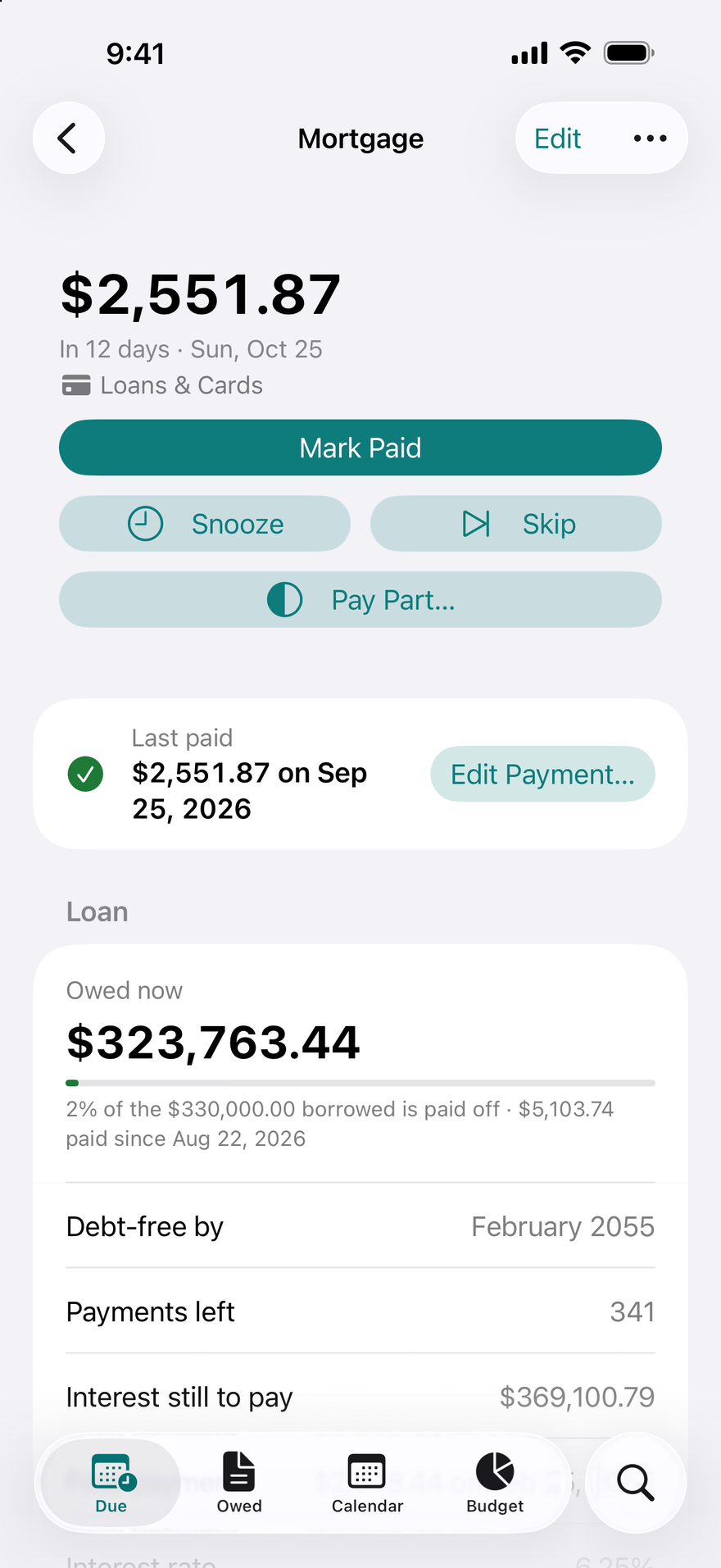
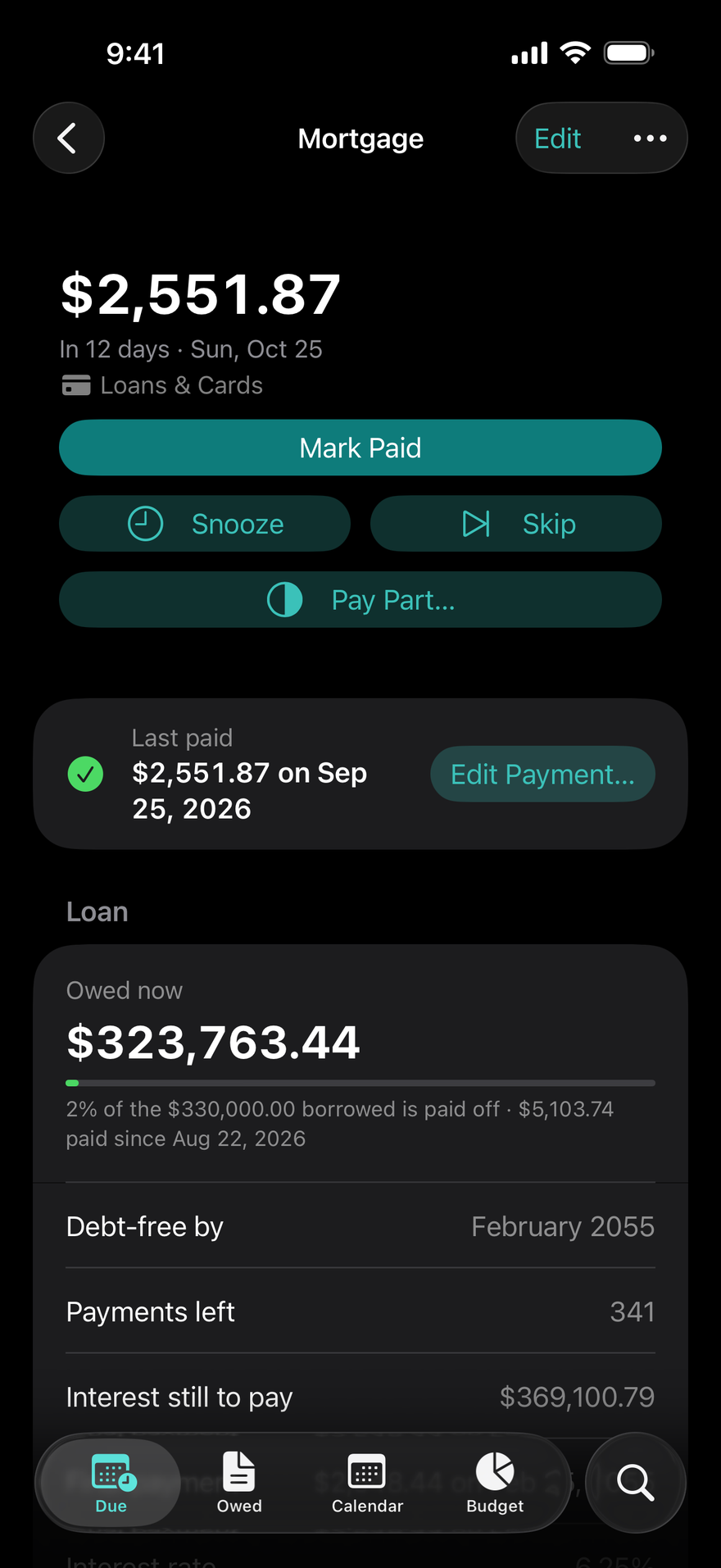
Add a mortgage, a car or student loan, a card, or money you owe a friend. DueBy splits each payment into principal, interest, and escrow, shows your debt-free date and the interest still to pay, and ends the payments at payoff. Each loan is an account of its own, paid by a bill from Personal or Business, or by the transactions that pay it. When your lender's escrow letter changes the payment, Escrow Changed… sets the new escrow and insurance from the payment you choose, and the payments before it keep theirs.
DueBy Business
DueBy Business, for the self-employed
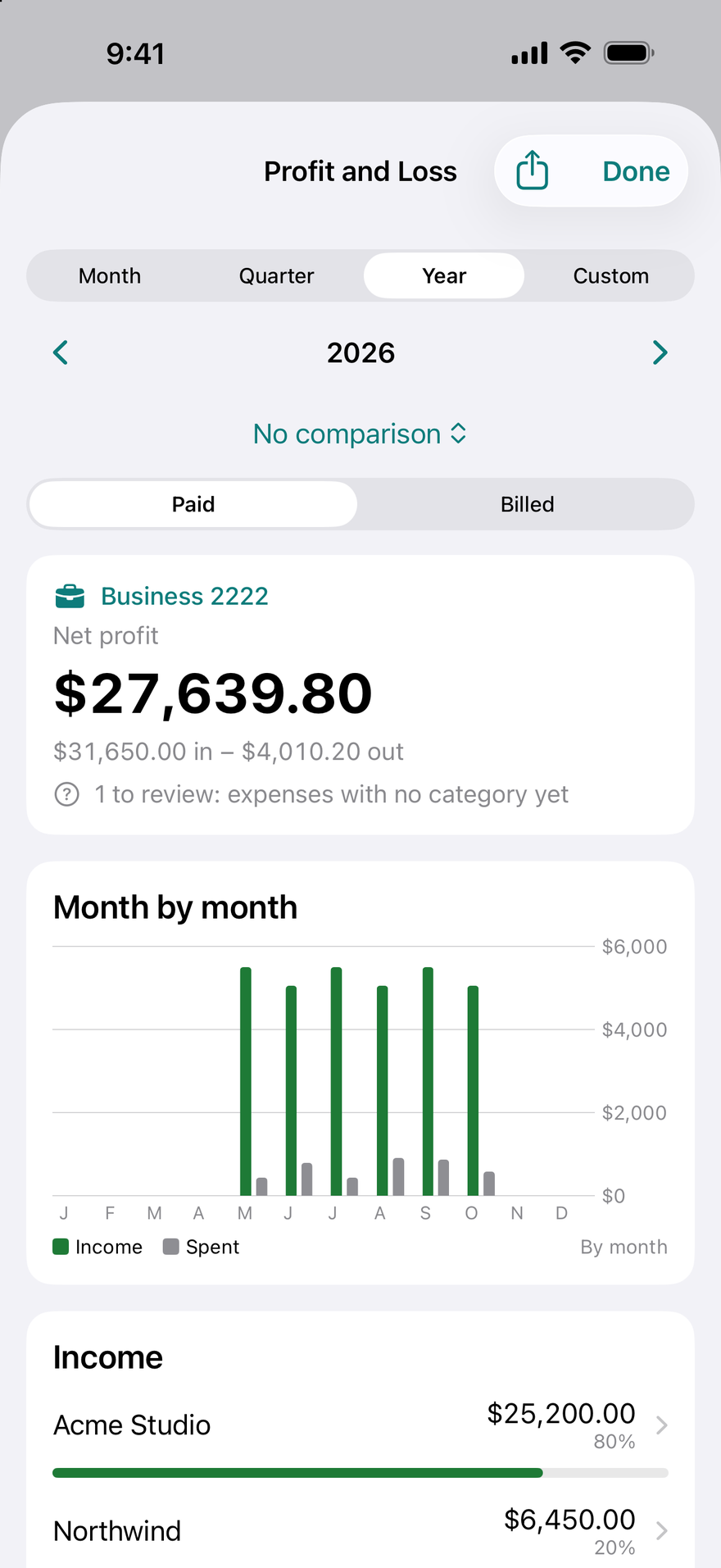
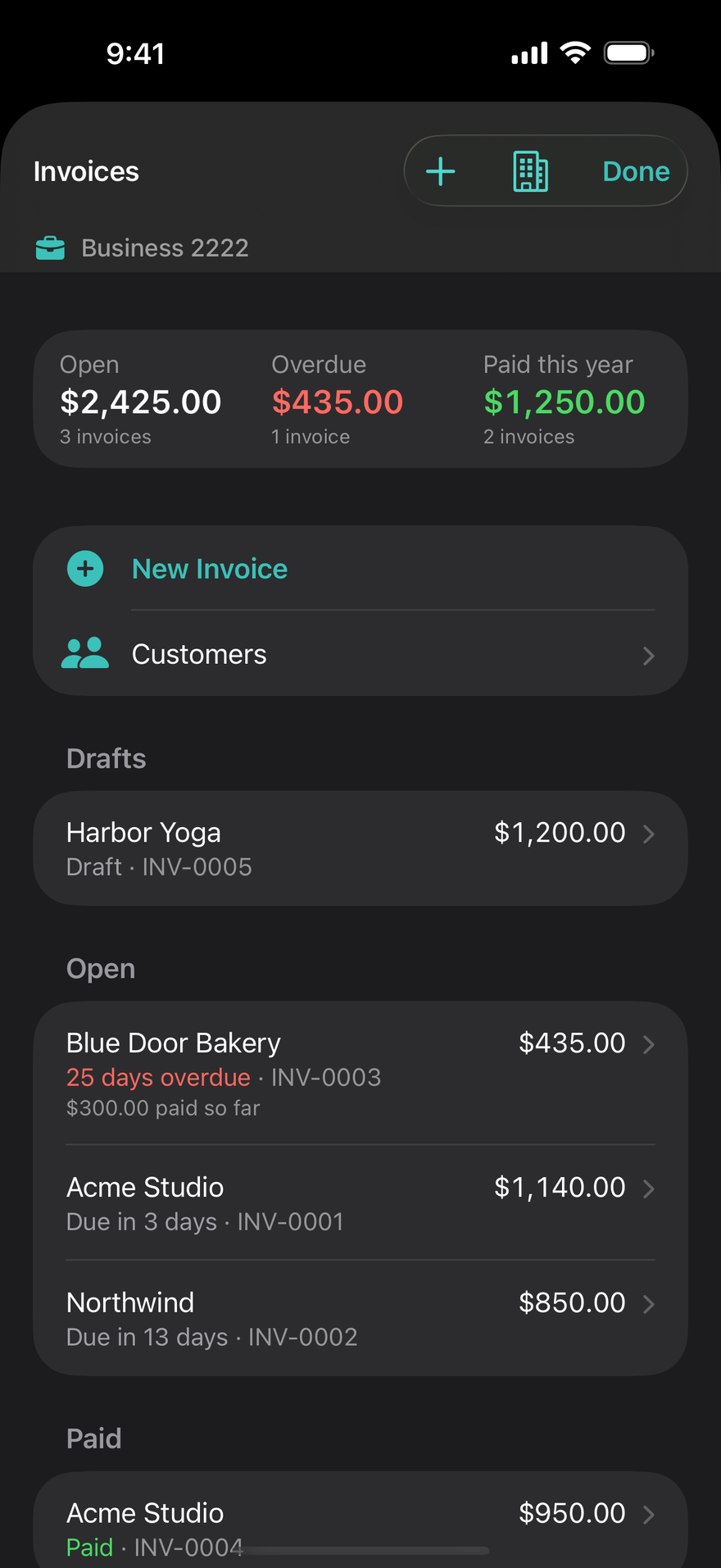
A Business account with its own categories, beside your personal money. Due shows the year's net profit, what customers owe, and drives to classify. Used For marks any bill or transaction business or personal, whichever account paid it, or splits it between the two.

DueBy Business · Mileage log
Every business mile, logged for you
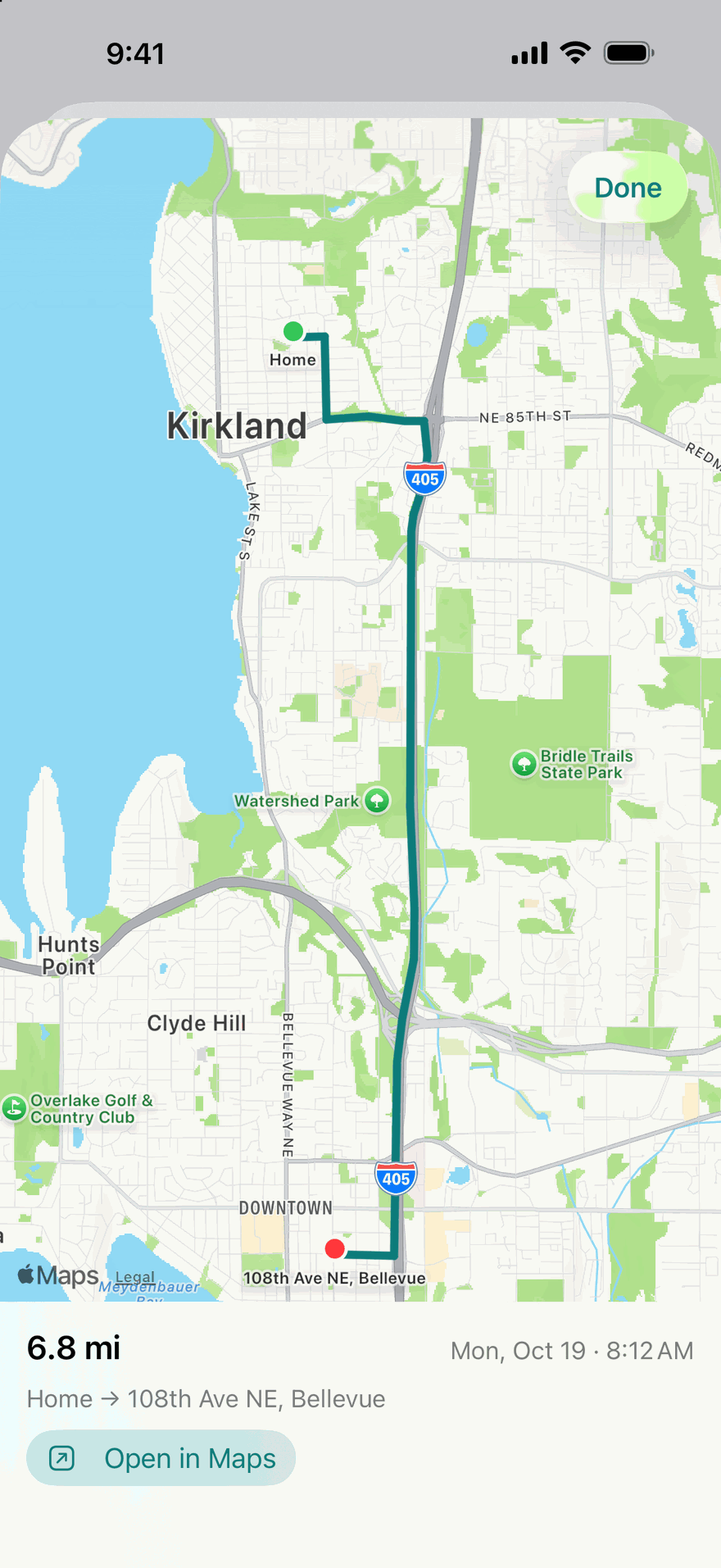
Turn on automatic recording and your iPhone notices when you start driving, measures the drive with GPS, and saves it, with DueBy closed. Call it business or personal with one tap, and each drive shows what it's worth.
Records drives by itself
With Location set to Always, a drive starts at driving speed and ends a few minutes after you stop. Or tap Start a Drive and stop it yourself.
Street addresses
Turn on Look Up Street Addresses and each drive's start and end get their address, like 1822 138th Pl SE, Bellevue. Only those two points are sent to look it up, and nothing is kept.
Knows your car by its Bluetooth
Link a vehicle to your car's Bluetooth or CarPlay, and every drive made while connected is that vehicle's.
Siri and Shortcuts
Say “Start a drive in DueBy”, “Stop my drive in DueBy”, or “Delete this drive in DueBy”. You can stop a drive from the Lock Screen too.
On Apple Watch
The drive your iPhone is recording shows on your wrist, with Pause, Stop, and Delete. Apple Watch can also record a drive with its own GPS, and classify drives.
Live while you drive
Distance and time on the Lock Screen and in the Dynamic Island, in the Smart Stack on Apple Watch, and on CarPlay.
Classify in one tap
Business, Personal, Medical, or Charity, with a button. Work hours, named places, and your own rules classify drives for you.
What each drive is worth
In the United States, the IRS rate for the day of the drive, or a rate of your own.
Everything a log needs
Purpose, vehicle, odometer readings, parking, tolls, and notes. Add a drive by hand, join or split drives, and undo any change.
Ready for tax time
Export the month or the year as a PDF or CSV. In the United States, business miles go to Schedule C line 9 on the Tax Summary.
Reminders that help
A notification after each drive with Business, Personal, Medical, and Charity on it, and a weekly reminder while drives wait to be classified.
Private by design
Routes stay on your devices and in your own iCloud, where DueBy's maker never sees them. The log is on iPhone, iPad, and Mac.
What's inside
Bill reminders that finish the job
Reminders lead with the bill's name and the day. Mark Paid, Snooze, or open the bill straight from the notification, on every device. Any schedule works, from every other month to the 1st and 15th, and each bill reminds you when you choose.
Subscriptions, honestly
Trials ending, price increases, and a real yearly total. Each subscription keeps its cancel link and phone number, so leaving takes one tap.
Planning around your income
A budget that follows your income, not just the calendar: bills come out of it by due date, set-asides and goals get their share, and the rest is yours. Budget opens on what's left to spend and what that is a day, then shows bills paid and still due and what each category has left.
Every transaction in one list
See what you logged or imported by day, week, month, or year, with spending by category and subcategory. Compare any span with the one before or a year earlier. Change a charge's category once and every charge from that merchant follows, and mark card payments as transfers so they never count as spending. Refunds count against the spending they return.
Loans and debts, to the last payment
A mortgage, a car or student loan, a card with several balances, a pay-in-four plan, or money you owe a friend. Each payment splits into principal and interest, with your debt-free date, the interest still to pay, and a what-if for paying more. With two or more debts, a payoff plan shows which to pay first and what an extra amount each month saves. US federal student loans estimate RAP, IBR, and PAYE payments.
Every account, on every screen
Personal, each card, each loan, and the cash you carry: show one, several together, or All Accounts from the top of any screen. Bills, budgets, transactions, and reports follow your choice. Add an account by hand, with or without a bank behind it. Accounts someone shares with you are listed apart from yours, under their name. A Business account, Petty Cash, rentals, and royalties come with DueBy Business. There is no charge per account.
Reports for any week, month, or year
Cash flow, spending by category, top payees, and a month-by-month table, on iPhone, iPad, and Mac. Tap a category to see the charges behind it. With DueBy Business, Reports also opens the Profit and Loss.
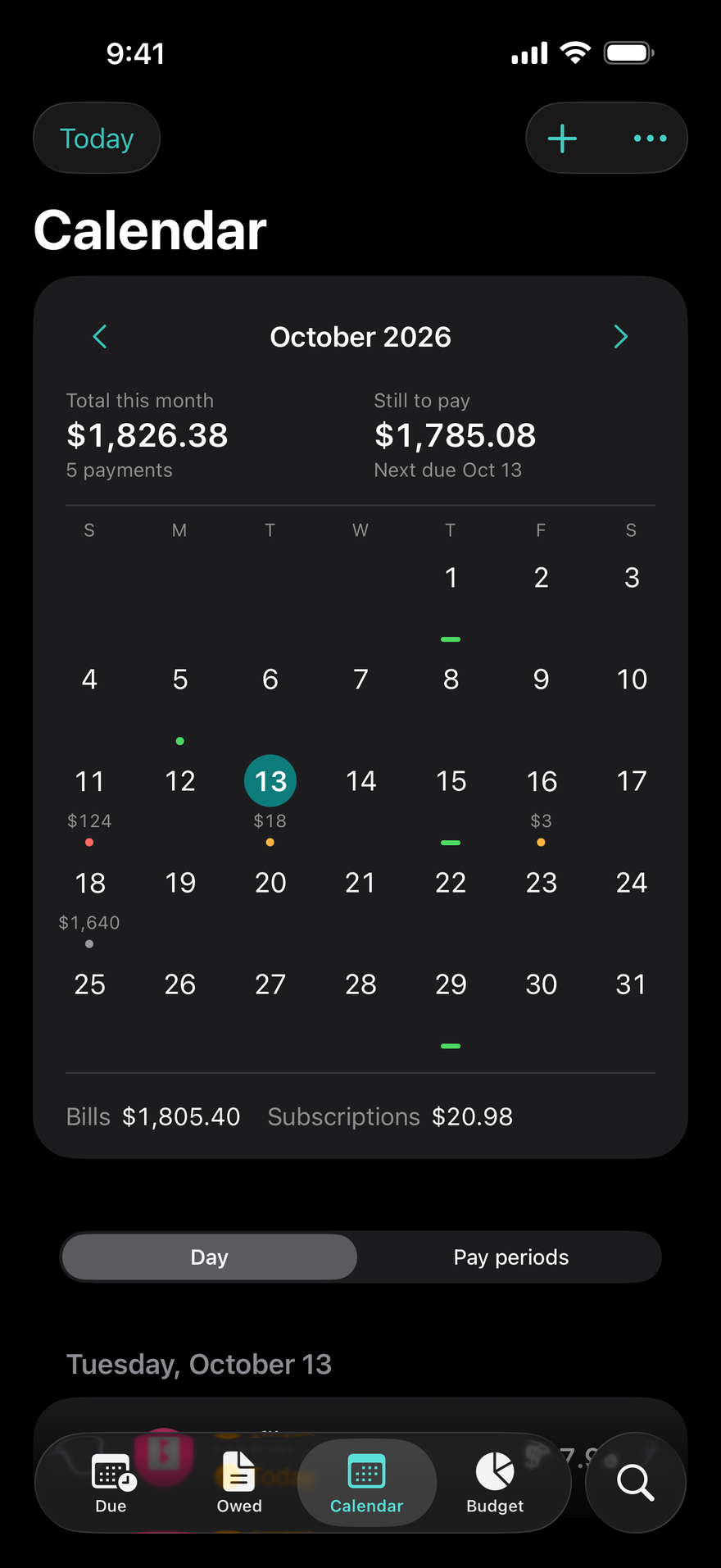
A calendar you'll actually open
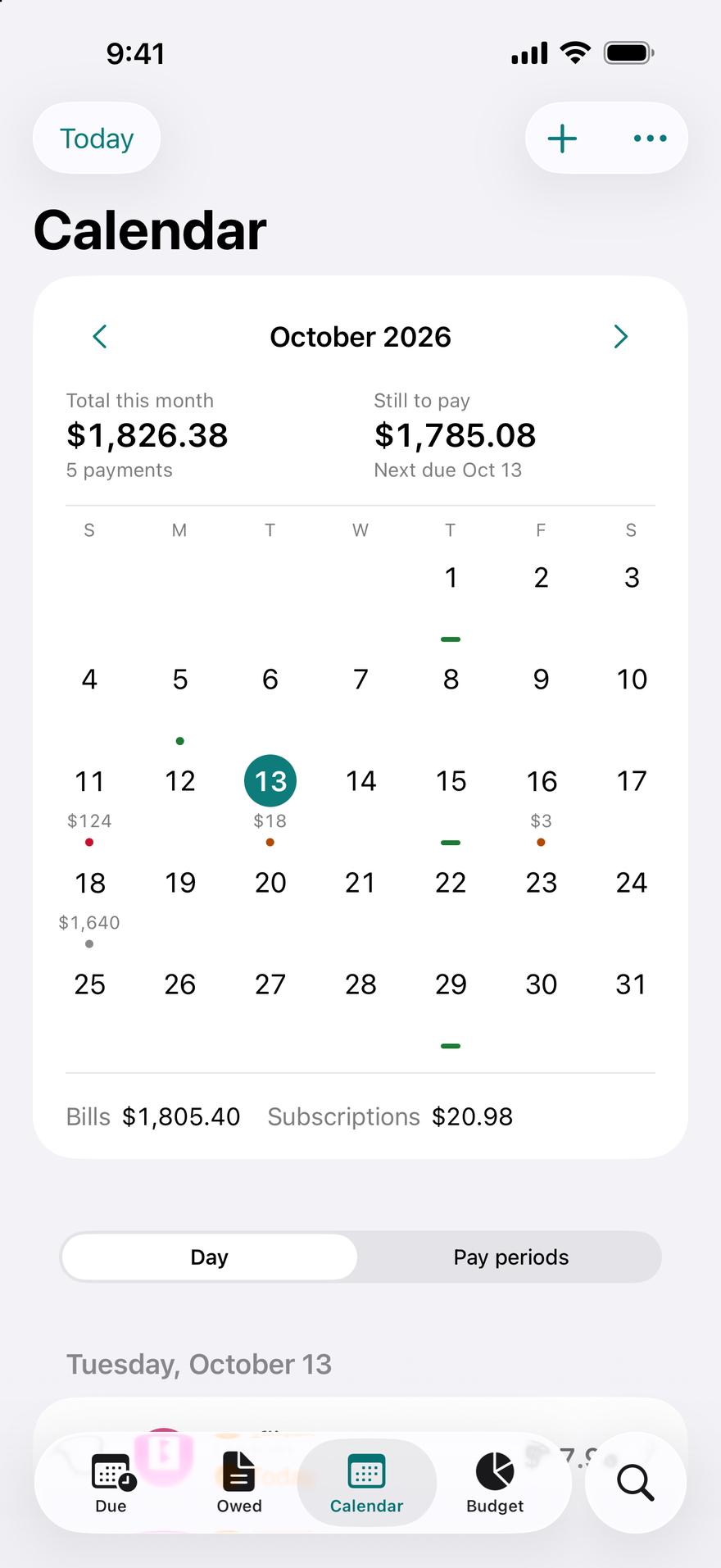
Due dates, paydays, and totals on a month grid. Swipe between months, tap a day to pay or add.
Widgets, Watch, Siri, and Mac
Next bills and Safe-until on your Home and Lock Screens, a Live Activity countdown for the big one, an Apple Watch app with Mark Paid, and a native Mac app with a menu bar extra.
Your data, your iCloud
Everything syncs through your own iCloud. Share account by account with the people you split bills with, View Only or Can Edit, and export JSON and CSV any time. It is yours to keep or remove.
Scan it or import it
Point the camera at a bill or a paycheck and DueBy reads it on your device. A photo or PDF of a bank statement, up to 60 pages, becomes transactions the same way, on your device. Or bring a spreadsheet: CSV and Excel files import in your bank's own language and number format, and the Spreadsheet Builder on this site makes one in DueBy's own columns.
Receipts that pay their bills
Paid cash? Scan the receipt and DueBy reads the store, the total, and the date into a new expense, on your device, and keeps the receipt with it in your iCloud. When the receipt pays one of your bills, DueBy offers to mark that bill paid. If the same purchase comes in later from a statement or a spreadsheet, DueBy asks whether it's the same transaction and keeps one, with the receipt. You can add a receipt to any transaction, too.
Locked when you want it
Lock DueBy with Face ID, Touch ID, or your passcode. Your bills and balances stay private even when your phone is unlocked in someone else's hands.
The details, kept together
Receipts and PDFs attach to the bill they belong to. Price increases are caught and dated. Savings goals and an emergency fund sit beside your bills, so the plan covers all of it.
Made for everyone
VoiceOver and Voice Control reach every screen, text grows to the largest accessibility sizes, and color never carries meaning on its own. Dark Mode and Reduce Motion are respected throughout, in each of the twenty-three languages DueBy speaks.
Profit and Loss
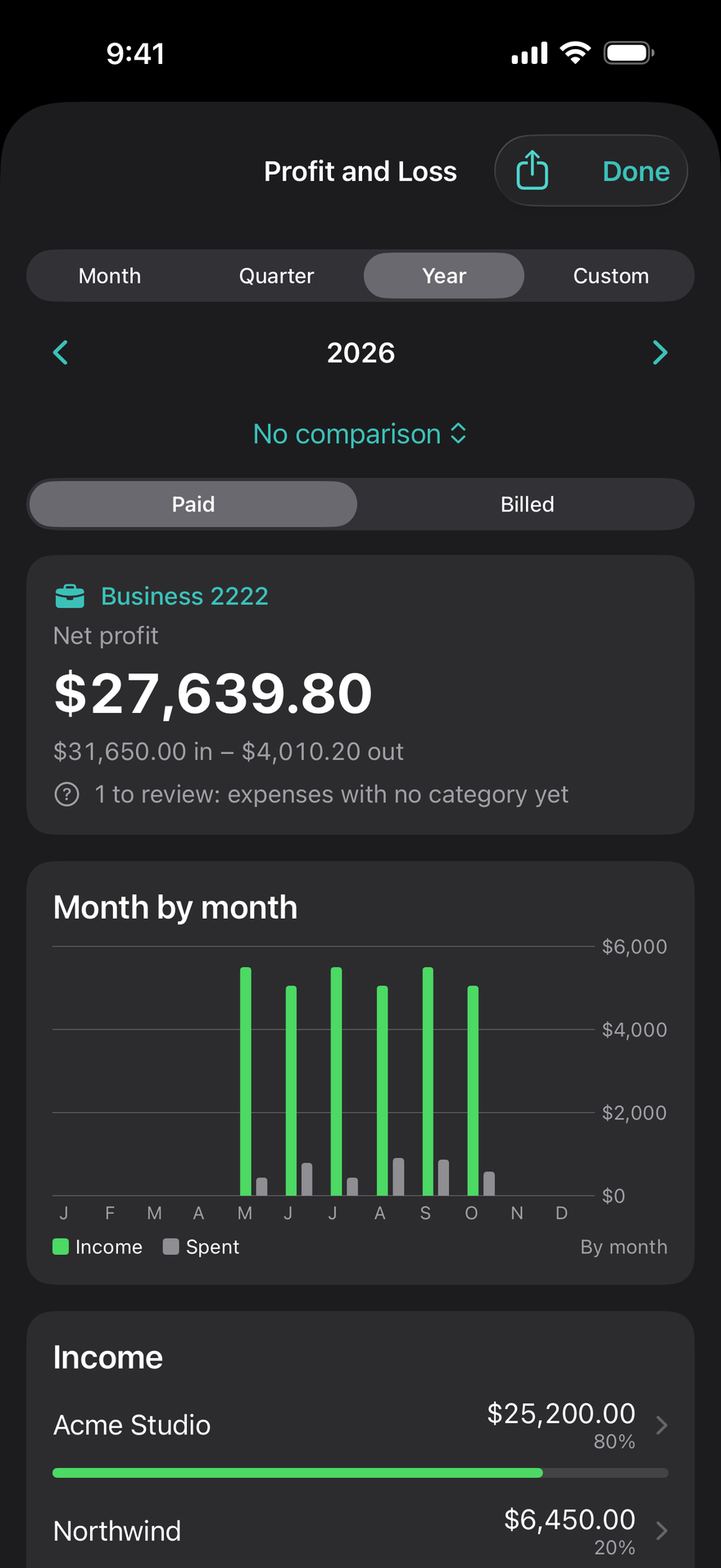
Income, expenses by category, and the net, for a month, a quarter, a year, or your own dates, with a comparison. Paid counts money the day it moved. Billed counts an invoice the day it was sent and a bill the day it was due. Save it as PDF, CSV, or Excel. Part of DueBy Business.
Invoices and customers
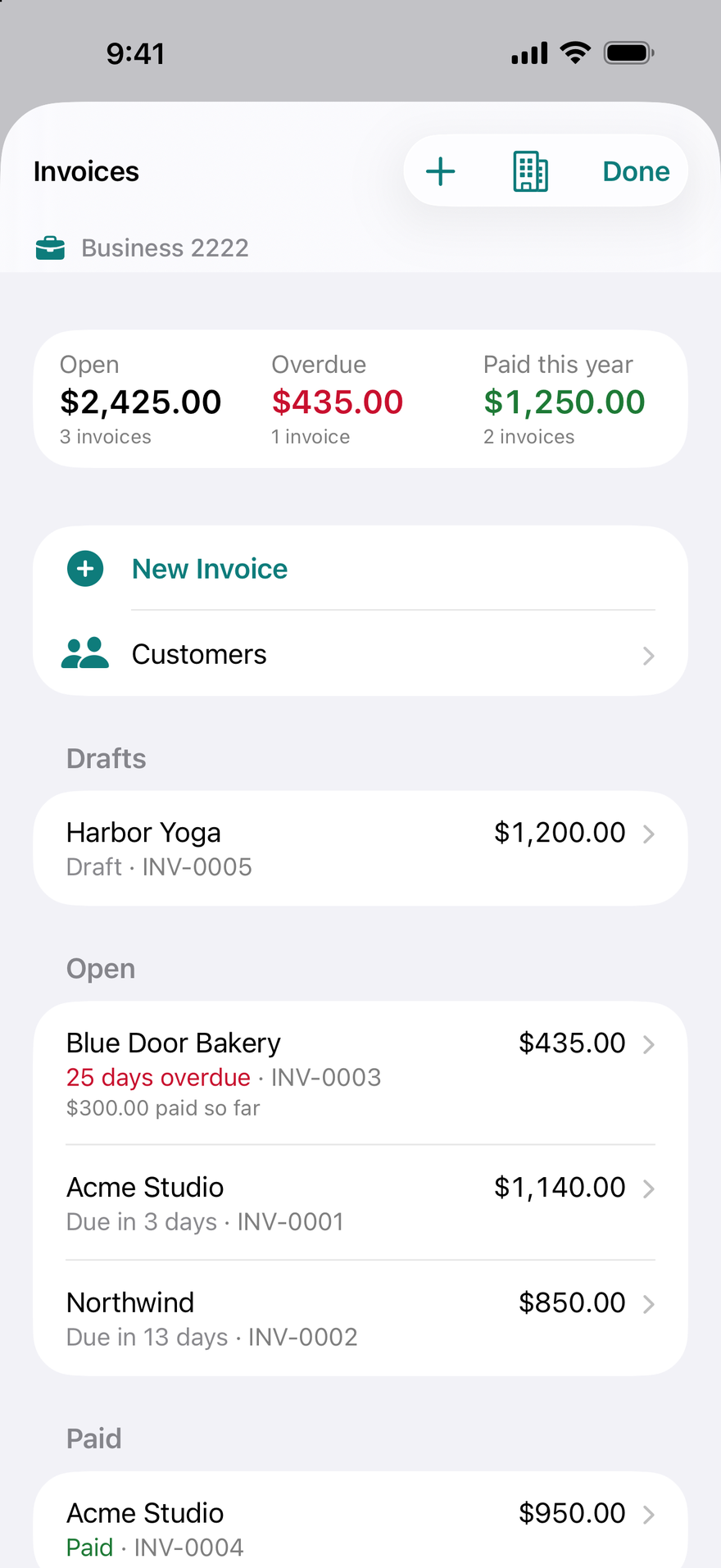
Make an invoice and send it as a PDF with your logo. Keep each customer's contact details, record payments as they arrive, and set an invoice to repeat. What a customer owes shows in Due on the day it is expected. Part of DueBy Business.
Rentals and royalties
Each rental property keeps its own rent and expenses, by month and by year. Royalties from a copyright, a patent, or mineral rights keep their own income and expenses. In the US they land on their form lines in the Tax Summary, such as Schedule E. Part of DueBy Business.
A summary for tax time
The Tax Summary totals a year by tax line, as a summary for your tax software or preparer: PDF, CSV for a spreadsheet, Excel, and QuickBooks (bank CSV), plus TXF for US returns. In the US, categories carry form lines. Form line numbers are available from tax year 2023. DueBy Business adds business lines (Schedule C and Schedule E) and a quarterly tax estimate. DueBy does not file a return and is not tax advice.
Sharing, account by account
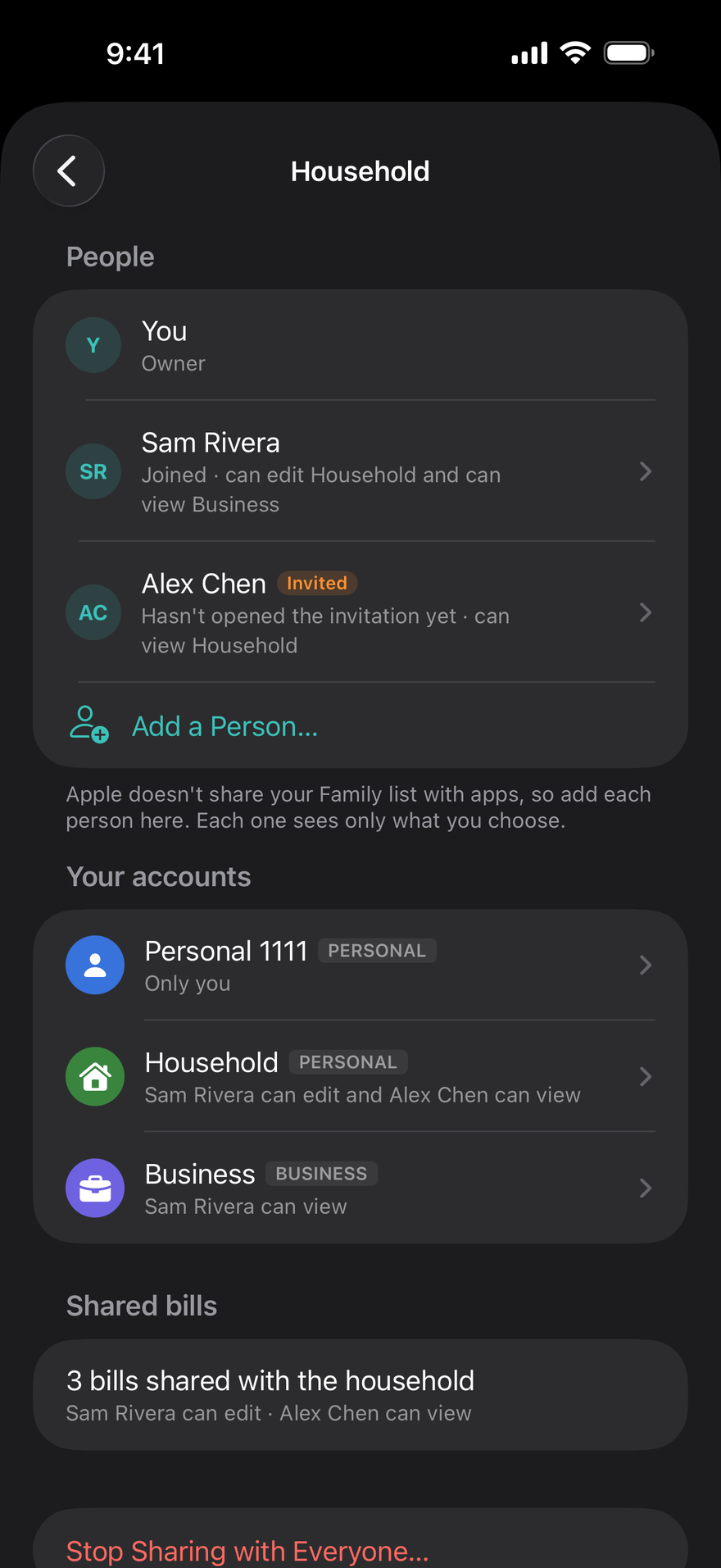
On the Household page, Add a Person gives each person their own invitation link, and you choose View Only or Can Edit for each account. Change it, or remove someone, any time. On their devices your accounts are listed under your name, apart from their own, and their All Accounts stays theirs alone. When someone pays a bill in an account you share with them from one of their own, or uses one of your transactions for their own bill, you're asked to confirm it.
Cash, and how each bill was paid
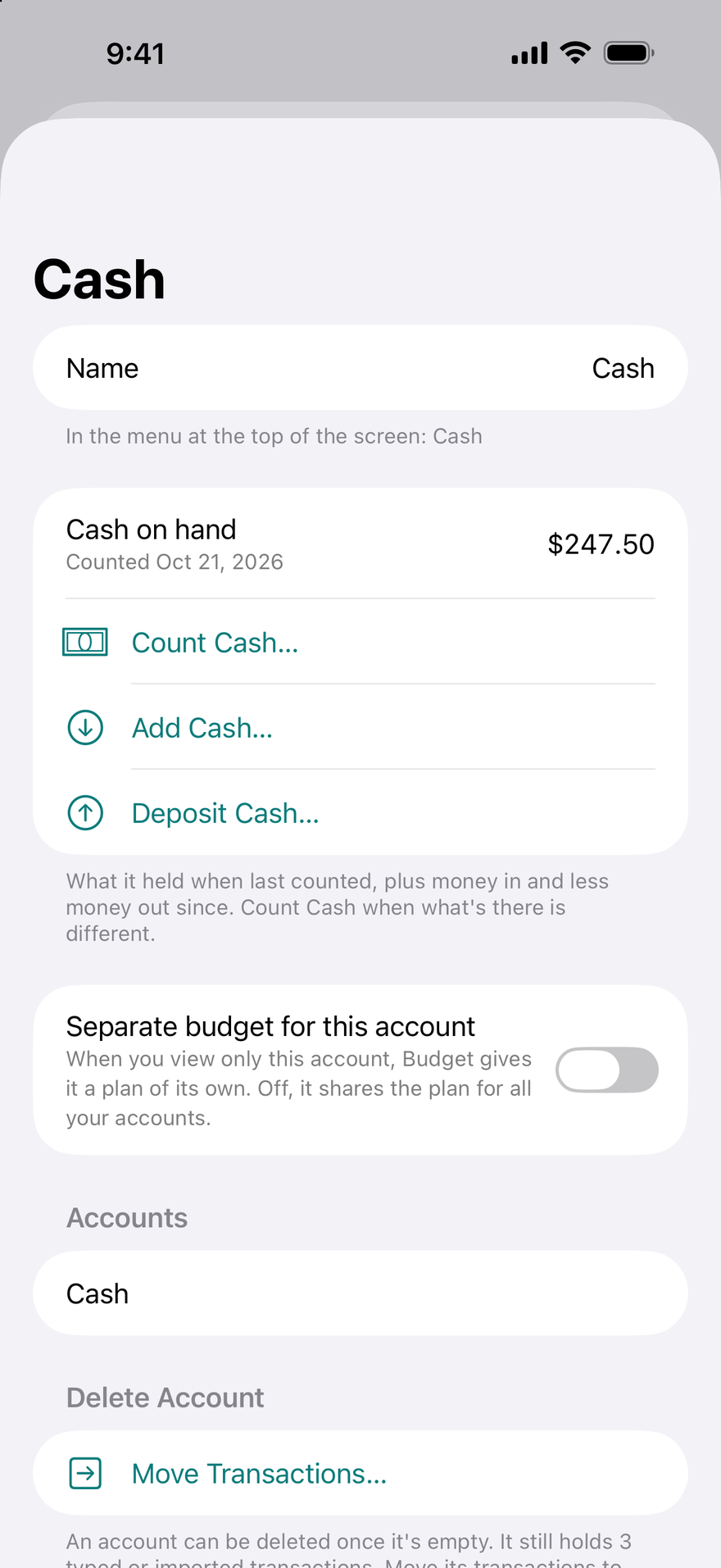
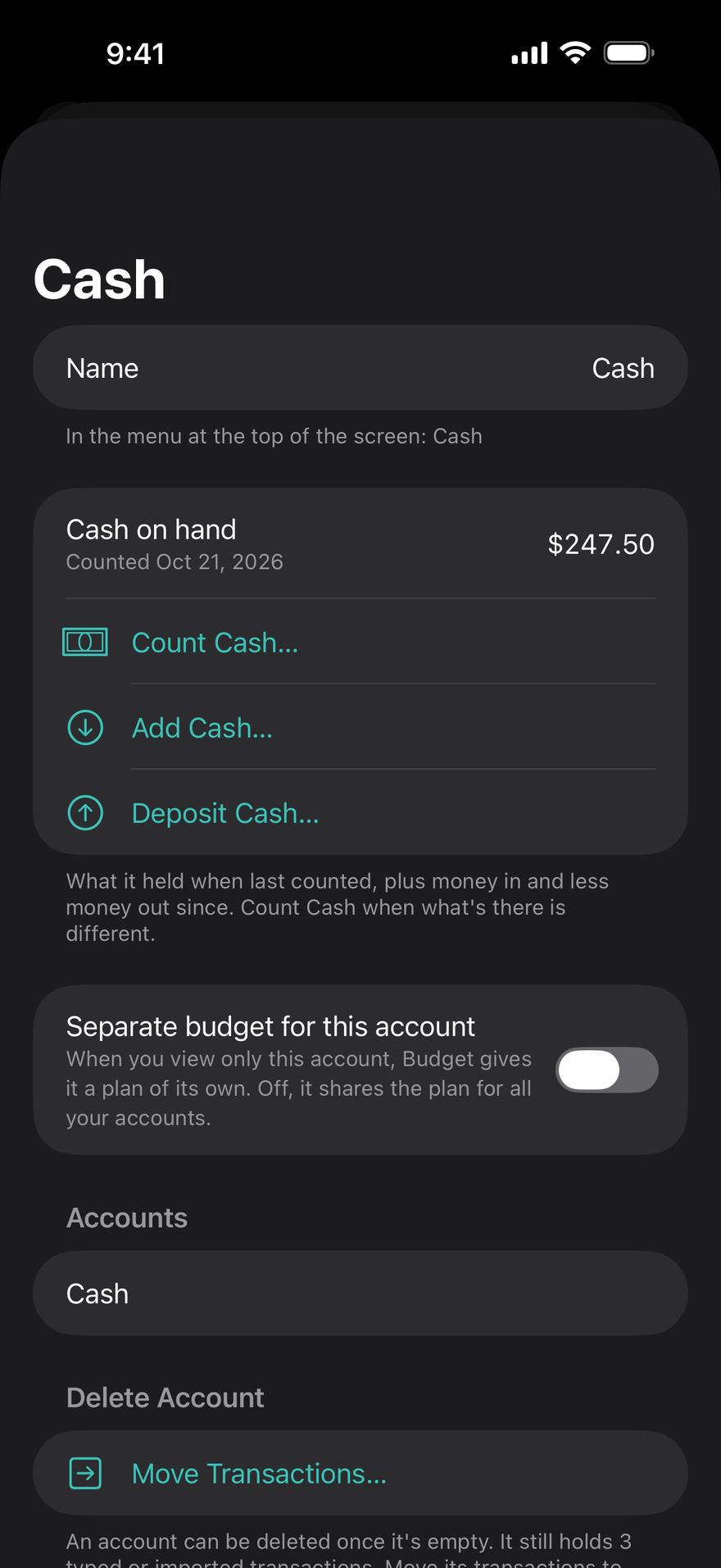
A Cash account keeps the cash you have on hand, with Count Cash, Add Cash, and Deposit Cash on its page; Petty Cash does the same for a business, with DueBy Business. Each payment records the account it came from and how it was paid, including by cashier's check, money order, or crypto, and Choose Transaction makes your bank's charge the payment, so it counts once.
Change History
Every record's page ends with its Change History: what changed, when, and on which device. Settings keeps seven years of it, a month at a time, with search, and saves a month, a year, or a search as a PDF, CSV, or Excel file. Undo takes back what you just did, Recently Deleted keeps what you delete for 30 days, and Earlier Versions on an invoice shows what it was before each change.
Private by design
DueBy never asks for a bank password and never sees one. There is no account to create and no server of ours holding your bills or transactions. Bills live on your device and sync through your private iCloud, which we cannot read. Optional Apple Card & Apple Cash matching reads your transactions on your iPhone with Apple's own framework and sends nothing to us; a payment you confirm is saved with its bill. The mileage log uses your location only if you turn it on, and routes stay on your devices and in your own iCloud. And DueBy itself locks with Face ID, Touch ID, or your passcode, so your finances stay private even on an unlocked phone.
Read the privacy policyOne subscription, every device
iPhone, iPad, Mac, and Apple Watch. One DueBy Personal or DueBy Business subscription covers every device, with the same data on each through your iCloud. Family Sharing is included.
Questions people ask
- Is DueBy free?
- No. DueBy needs a subscription: DueBy Personal, or DueBy Business for the self-employed and small businesses. Each comes as a monthly or a yearly plan. Plans, prices, and any free trial are shown in the app before you subscribe, and billing goes through your Apple Account. One subscription covers iPhone, iPad, Mac, and Apple Watch, and Family Sharing is included. If you used DueBy while it had a free plan, the app tells you when that ends and lets you export your data first.
- Do I need to connect my bank?
- No. Enter bills yourself, import a spreadsheet or the PDF statement your bank gives you, or scan a paper bill or a receipt; on iPhone you can also match Apple Card and Apple Cash charges on device through Apple's own framework. DueBy never asks for a bank password.
- What happens to bills I already track when my bank connects?
- They're matched. A charge that pays a bill marks that bill paid instead of counting again, a payroll deposit marks your paycheck received, and an expense you logged — before or after the bank sent it — becomes that same transaction. Card payments and moves between your own accounts are transfers, not spending, and the payment into a credit card pays that card's bill, so it counts once. If a match is wrong, Unlink Bill undoes it.
- Does my data leave my device?
- Your bills, subscriptions, and plans stay on your device and sync only through your own iCloud, which we cannot read. There is no account and no server of ours holding your bills or transactions. Nothing is sold and nothing is tracked.
- Can I lock DueBy?
- Yes. Turn on the lock in Settings and DueBy asks for Face ID, Touch ID, or your passcode every time it opens, on iPhone, iPad, and Mac. Your bills stay private even if someone else is holding your unlocked phone.
- Can I bring my bills from a spreadsheet or another app?
- Yes. DueBy reads photos or PDFs of a bank statement into transactions on your device, up to 60 pages. It imports CSV and Excel files, and you can scan a paper bill or paycheck with the camera. The free Spreadsheet Builder at dueby.app/spreadsheet-builder makes a file in DueBy's own columns and converts exports from Mint, YNAB, Monarch, Goodbudget, EveryDollar, Copilot, and Quicken.
- Can I share bills with my partner or household?
- Yes, account by account. Add a Person on the Household page gives each person their own invitation link, and for each account you choose View Only or Can Edit; accounts you don't share stay yours alone. Change or remove anyone's access any time. Accounts someone shares with you are listed apart from your own, under their name. Apple Family Sharing also gives up to five other family members your DueBy Personal or DueBy Business plan, each with their own data.
- Can I track cash?
- Yes. A Cash account keeps the cash you have on hand: count it, add cash from the bank or an ATM, or deposit it, and pay bills from it. DueBy Business adds Petty Cash for a business. When you pay a bill, say which account paid it and how, from cash or a check to a cashier's check, a money order, or crypto.
- Can I see what changed?
- Yes. Every record's page, from a bill or a transaction to an invoice or an account, keeps a Change History: what changed, when, and on which device. Change History in Settings keeps seven years of changes, with search, and saves a month, a year, or a search as a PDF, CSV, or Excel file to keep or to give your accountant. Undo takes back what you just did, and Recently Deleted keeps what you delete for 30 days.
- Can I skip a paycheck or undo one marked received?
- Yes. Swipe a paycheck in the Calendar or Transactions (right-click on a Mac) to mark it not received, skip it, or restore it later. A one-time income can be deleted from its row, and any income from its editor.
- Can DueBy track my mortgage, car loan, or student loan?
- Yes. Add what you owe, the rate, and the payment, and DueBy splits each payment into principal and interest (and escrow, where your mortgage has it), shows your debt-free date and the interest still to pay, and stops the payments at payoff. Cards with several balances, leases with mileage, home equity lines, and US federal student loans on RAP, IBR, or PAYE are covered too, and each loan is an account of its own you can switch to. When your escrow or mortgage insurance changes, Escrow Changed… applies it from the payment you choose.
- Can I keep personal and business money apart?
- Yes. Bills, subscriptions, income, and transactions belong to an account: Personal, each card, and each loan. Show one, several together, or All Accounts from the top of any screen. A Business account, with its own categories, Profit and Loss, and tax lines, is part of DueBy Business. With it, Used For marks any bill or transaction business or personal, whichever account paid it, and every payment still counts once.
- Does DueBy have reports?
- Yes. Reports shows cash flow, spending by category, top payees, and a month-by-month table for any week, month, or year, on iPhone, iPad, and Mac. DueBy Business adds a Profit and Loss.
- What devices does it run on?
- iPhone, iPad, and Mac, with an Apple Watch app and complications. One subscription covers all of them. It speaks the same twenty-three languages as this site.
- Does it work with Siri and widgets?
- Yes. Ask what's due, what's left to spend, log an expense, or mark a bill paid by voice. Widgets show the next bills and Safe-until on the Home Screen, Lock Screen, and Mac desktop, and a Live Activity counts down to the next big bill.
- When can I get it?
- Right now. DueBy is on the App Store for iPhone, iPad, and Mac, with the Apple Watch app included. One subscription covers all of them.
- Where is DueBy available?
- On the App Store in these countries and regions:
- Australia
- Austria
- Belgium
- Bhutan
- Bulgaria
- Cambodia
- Colombia
- Cyprus
- Czechia
- Finland
- France
- Germany
- Hungary
- Iceland
- Ireland
- Italy
- Japan
- Laos
- Latvia
- Lithuania
- Luxembourg
- Malta
- Mexico
- New Zealand
- Norway
- Poland
- Romania
- Singapore
- Slovakia
- Suriname
- Sweden
- Switzerland
- Taiwan
- United Kingdom
- United States
- I used the free plan. What happens now?
- DueBy 1.2 needs a subscription. When you open it, DueBy shows the plans. If you choose Not Now, DueBy stays free through the next day. After that it opens on the plans screen until you subscribe, and reminders stop. Nothing is deleted, and Export stays on that screen, so you can always take a copy of your data.
- Does DueBy have tools for the self-employed?
- Yes, in DueBy Business: a Business account with its own categories, Profit and Loss, invoices and customers, a mileage log, and rentals and royalties. In the US it adds business tax lines (Schedule C and Schedule E) and a quarterly tax estimate. It includes everything in DueBy Personal.
- Can DueBy track my mileage?
- Yes, with DueBy Business. On iPhone, DueBy can record drives as you drive once you allow it. On Apple Watch you start and stop a drive by hand, and on any device you can type one in. Each drive is marked business, personal, medical, or charity, and the log exports as a PDF or CSV. Location is used only if you turn recording on, and routes stay on your devices and in your own iCloud.
- Can I send invoices from DueBy?
- Yes, with DueBy Business. DueBy makes the invoice as a PDF with your logo, and you send it through Mail, Messages, or any app in the share sheet. Record a payment when it arrives. DueBy does not send invoices by itself and does not take payments from your customers.
- Does DueBy do my taxes?
- No. The Tax Summary totals a year by tax line as a summary for your tax software or preparer, and the tax estimate is an estimate. Form lines and the quarterly estimate apply in the US only. DueBy does not file a return, and nothing in it is tax advice.
Get DueBy
On the App Store for iPhone, iPad, Mac, and Apple Watch.