
How to Track and Cancel Subscriptions: A Step-by-Step Guide
By Todd Lahman ·
To track and cancel subscriptions, find every recurring charge on your bank and card statements and in the App Store, list each one with its yearly cost and next renewal date, set a reminder before each renewal and each free trial ends, and cancel the ones you don't want with the company that bills you. The Federal Trade Commission (FTC) suggests keeping a copy of your cancellation request and checking your card for charges after you cancel (FTC). Here's each step, and where "click to cancel" stands in 2026.
Step 1: Find every subscription you pay for
Subscriptions are billed in more than one place, so look in each. Apple says that if you can't find a subscription among the ones Apple bills, you might have bought it from another company, and that your bank or credit card statement shows which company bills you (Apple Support).
Where to look:
- Your bank and card statements. Go back at least three months for monthly charges, and a full year to catch the ones that renew yearly.
- Subscriptions through the App Store. On iPhone or iPad, open Settings, tap your name, then tap Subscriptions. On a Mac, open the App Store, click your name at the bottom of the sidebar, click your name again on the page that appears, then click Subscriptions (Apple Support).
- Your email. Search for "receipt", "renewal" and "subscription". For subscriptions billed by Apple, Apple suggests searching for "receipt from Apple" or "invoice from Apple".
- Your phone or internet bill. For a subscription you get through a wireless carrier or another provider, Apple says to contact that provider.
- Free trials you've started. A trial you signed up for with a card is a subscription that hasn't charged you yet.
- Other people's accounts in your household. Apple notes that you can't cancel a family member's subscription: the person whose account is on the receipt has to cancel it.
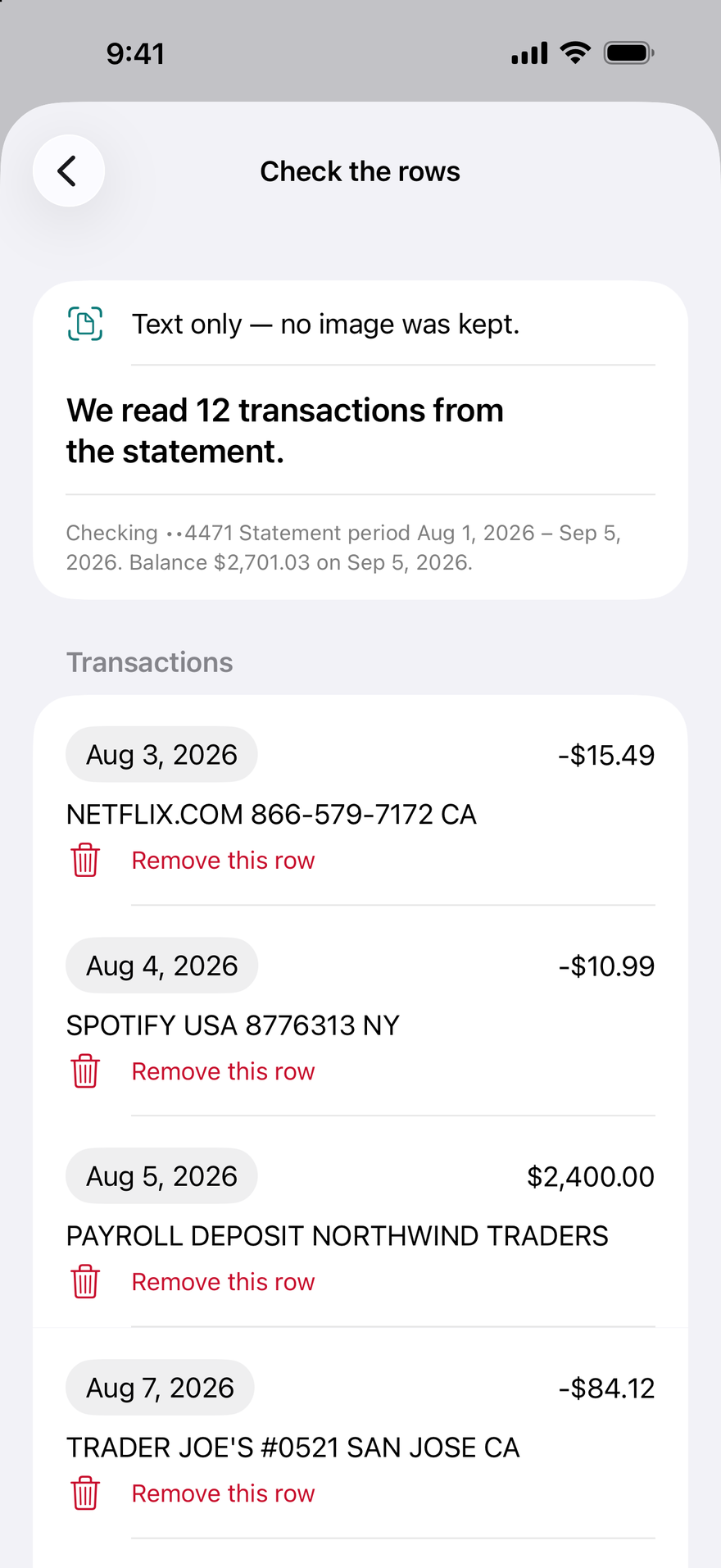
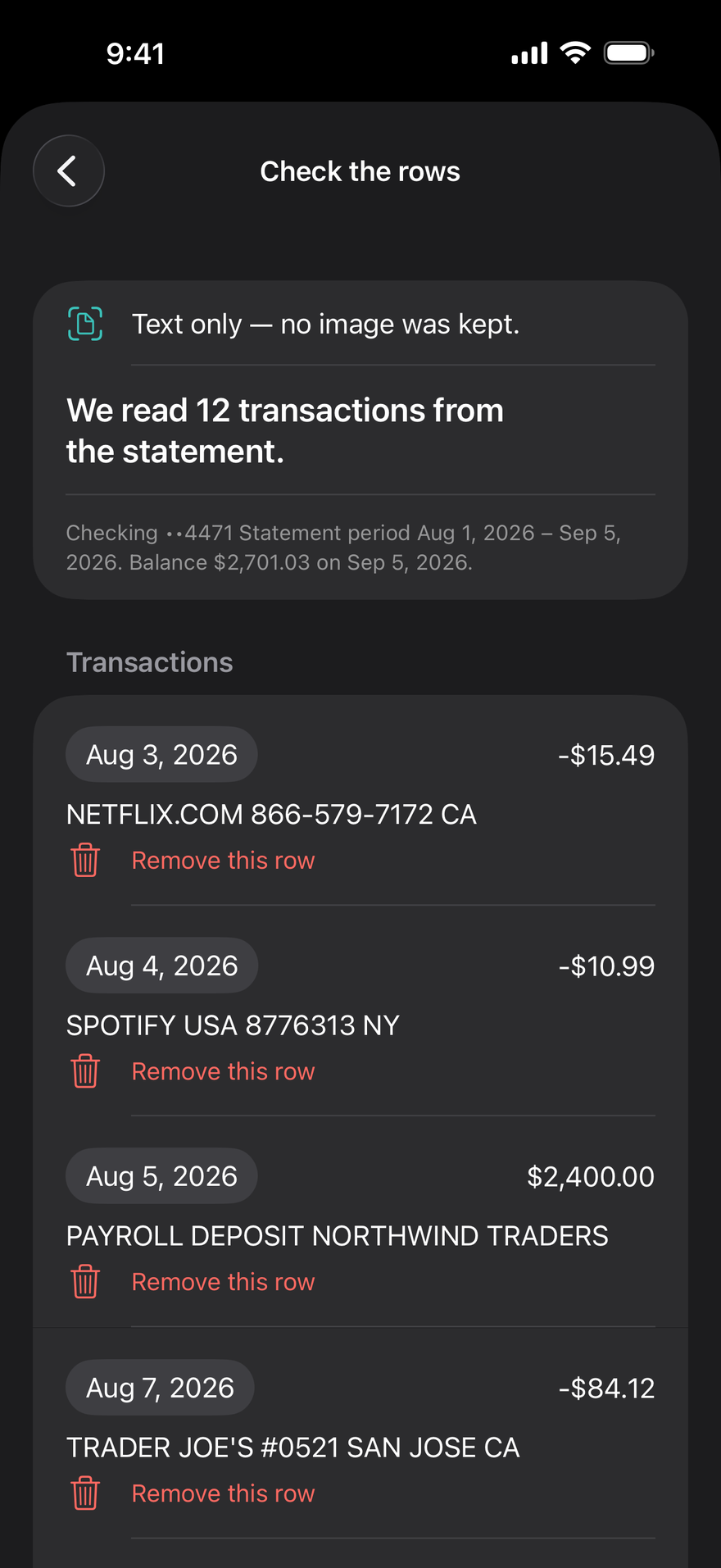
DueBy can help with the statements. Add a bank or card statement as a PDF, a photo or a scan, or as a CSV or Excel file, and DueBy reads it into transactions on your device. When you then add a subscription, DueBy first lists the charges that repeat and aren't in DueBy yet, and fills in the one you pick.
In a household you share in DueBy through iCloud, a subscription with Shared with household turned on shows for everyone in it.
Step 2: Work out each subscription's true yearly cost
A yearly cost makes subscriptions easy to compare with each other and with your other bills. Multiply a monthly price by 12 and a weekly price by 52; a yearly plan's price is already its yearly cost.
For example, say a streaming plan is $15.99 a month: that's $191.88 a year. A plan at $4.99 a week comes to $259.48 a year, more than the streaming plan, even though its price looks smaller.
Record these for each subscription:
| What to record | Why it matters |
|---|---|
| Name, and the company that bills you | The name on your statement may not match the service's name |
| Price, and how often it renews | Monthly, weekly or yearly, to work out the yearly cost |
| Yearly cost | To see which subscriptions cost the most over a year |
| Next renewal date | The day you'll be charged again |
| Free trial end date | The last day to cancel before the first charge |
| How you pay | A card, a bank account, the App Store or your phone bill: it decides how you cancel |
| How to cancel | The link or phone number, so canceling takes a minute once you decide |
A spreadsheet works for this. The Spreadsheet Builder on this site makes a subscriptions sheet with columns for the price, the renewal date, the trial end and a cancel link, in your browser. Subscriptions are bills too, so they belong on the same calendar as the rest of your bills.
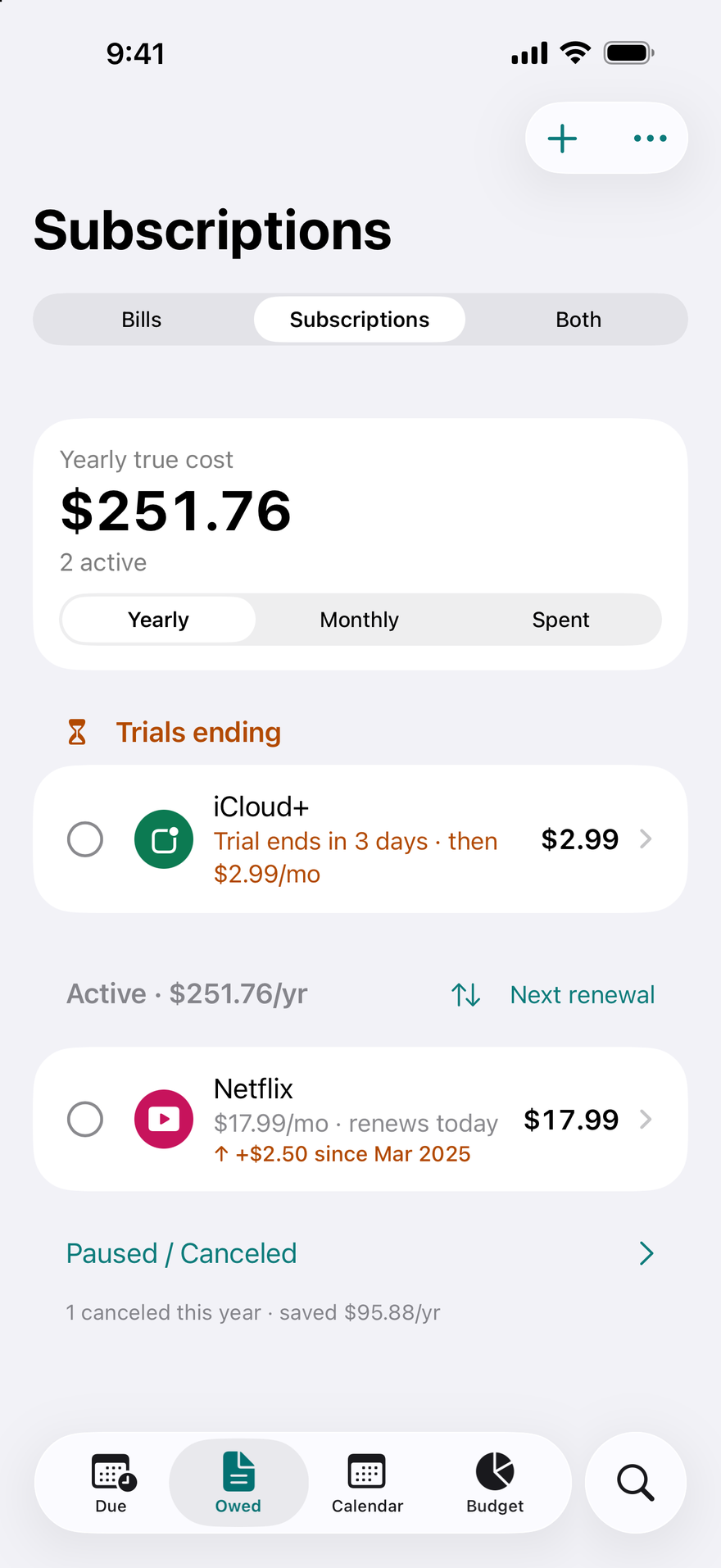
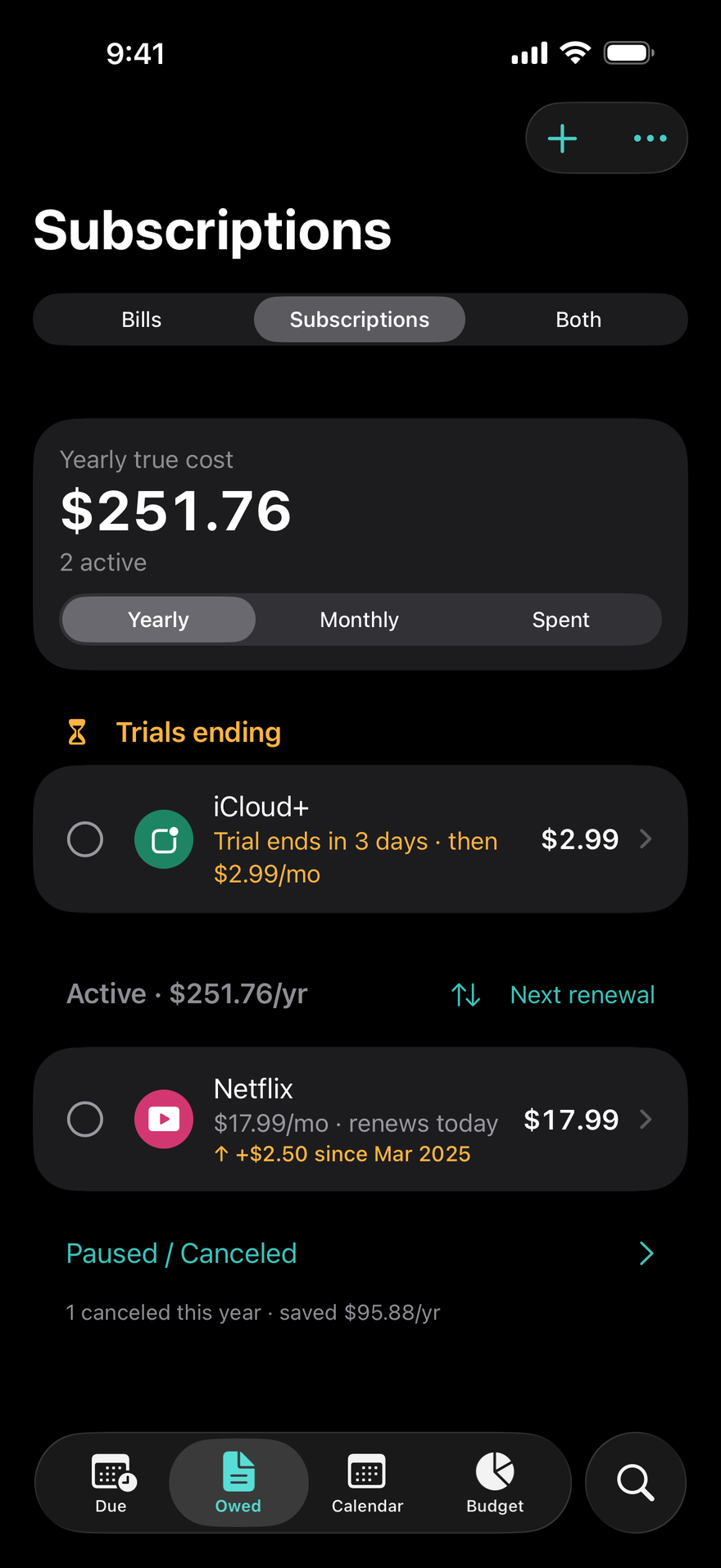
DueBy works out the yearly cost for you. Its Subscriptions screen shows the yearly true cost of the subscriptions that are active, from each one's price and how often it renews. A subscription's own page shows how much canceling it saves a year, and what you've paid for it so far, from the renewals you mark paid.
Step 3: Set reminders before renewals and free trials end
A reminder a few days before each renewal gives you time to decide before the charge. For free trials, the FTC suggests that if you sign up, you make a note on your calendar to remind you to cancel before the trial ends (FTC). For a trial from the App Store, Apple says to cancel at least 24 hours before the trial ends if you don't want it to renew (Apple Support).
Before you start a free trial, the FTC suggests finding the terms and conditions for the offer, which should tell you the length of the trial and how and when to cancel if you don't want to be charged after it. If it isn't clear how to cancel, the FTC's advice is to walk away.
An app can do the reminding. DueBy reminds you seven days, then three days before each renewal and on the day, and you can change those days on each subscription. For a subscription with a free trial, it reminds you three days before the trial ends and on the day, and lists the trials ending on its Subscriptions screen.
Step 4: Cancel the ones you don't want, the right way
Cancel with the company that bills you, the way it tells you to. The FTC's advice is that if the company has instructions on how to cancel, follow them, and keep a copy of your cancellation request, along with notes about any conversations you had about canceling (FTC).
- Subscriptions through the App Store. On iPhone or iPad, open Settings, tap your name, tap Subscriptions, tap the subscription, then tap Cancel Subscription. Apple says that if there's no Cancel button, or you see an expiration message in red text, the subscription is already canceled (Apple Support).
- Subscriptions billed by the company itself. Cancel on its website, in its app or by phone, and save the confirmation email or number.
- Stopping the payment isn't canceling. The Consumer Financial Protection Bureau (CFPB) says canceling an automatic payment does not cancel what you owe: for a service like cable or a gym, cancel the contract with the company as well as stopping the automatic payments (CFPB).
Then mark it canceled on your list, and look at your next statement. The FTC suggests checking for charges on your debit or credit card after you cancel.
In DueBy, a subscription's page opens the cancel link you saved, or subscriptions in the App Store if you saved none. Mark Canceled asks whether it ends today or at the end of the period you paid for, and then DueBy stops reminding you. The subscription's Attachments can hold a photo or PDF of your cancellation confirmation.
How do you stop a recurring charge from your bank account?
You have the right to stop a company from taking automatic payments from your bank account, even if you allowed them before, according to the CFPB (CFPB). The CFPB lays out these steps:
- Tell the company you're taking away its permission to take automatic payments from your account, then follow up in writing or by email.
- Tell your bank or credit union that you've revoked the company's authorization, and follow up in writing.
- Ask about a stop payment order if your bank recommends one. The CFPB notes that banks and credit unions generally charge fees for them.
- Keep track of your requests and the dates you made them.
Under federal rules, you can stop an automatic transfer from your account by telling your bank, by phone or in writing, at least three business days before the scheduled payment, and the bank may require written confirmation within 14 days of a phone request (Regulation E, 12 CFR 1005.10). Once you've told both the company and your bank, the CFPB says any more payments that company starts would be errors, and you can ask your bank for a refund.
What if you're charged after you cancel?
Contact the company first, with the copy of your cancellation request. If you're charged without your consent and the company won't refund your money, the FTC says to dispute the charge, also called a chargeback, with your credit or debit card company right away (FTC). On a credit card, the FTC lists unauthorized charges, and charges for things you didn't accept, among the billing errors you can dispute, and says to send your letter so that it reaches the card issuer within 60 days after the first bill with the error was sent to you (FTC).
The FTC also asks people who have problems canceling a subscription, or who were charged for one they didn't agree to, to report it at ReportFraud.ftc.gov and to their state attorney general.
For a subscription billed by Apple, you can request a refund at reportaproblem.apple.com. Apple says some purchases might be eligible for a refund, and that eligibility can vary by country or region (Apple Support).
When you mark a subscription canceled in DueBy, it watches the transactions you add or import for 120 days after the subscription ends, and flags a charge from the same company under Needs attention.
What should you do when a subscription raises its price?
Compare the new price with your list, and decide again whether the subscription is worth it. The FTC warns that an automatic renewal might charge more than you paid the last time, for example if you first had a promotional rate, and says that if a renewal notice doesn't say how much you'll pay, call the company right away (FTC).
For subscriptions through the App Store, Apple says it notifies you of a price increase in advance by email, push notification and a message in the app. For an increase above certain limits, or where the law requires it, you must agree to the new price, and if you don't, the subscription won't renew at the next billing period (Apple Support).
Your choices when a price goes up:
- Keep it, and update the price on your list so the yearly total stays right.
- Switch to a cheaper plan, if the company offers one.
- Cancel before the next renewal, if it's no longer worth the new price.
If you keep it, change its price in DueBy and the yearly true cost follows. Past prices you import with it, such as the price history column of the Spreadsheet Builder's subscriptions sheet, show on its page with how much more it costs a month and a year since the first raise.
Is "click to cancel" the law in 2026?
Not as a federal rule. The FTC's 2024 amended Negative Option Rule, known as "click to cancel", was vacated by the U.S. Court of Appeals for the Eighth Circuit on July 8, 2025, shortly before businesses had to comply with all of it (Federal Register, March 2026). In March 2026 the FTC asked the public whether it should write a new rule, with comments due April 13, 2026. An October 2026 FTC notice says the FTC restored its rule in February 2026 to the form it had before the 2024 amendments (Federal Register, October 2026).
Other laws still apply:
- The Restore Online Shoppers' Confidence Act (ROSCA), a federal law since 2010, covers subscriptions sold online. A seller must disclose all material terms before taking your billing information, get your express informed consent before charging you, and provide "simple mechanisms for a consumer to stop recurring charges" (15 U.S.C. 8403).
- State automatic renewal laws. California, Colorado, Vermont and Virginia are among the states with their own laws on subscriptions, which the FTC says provide "varying levels of protection for consumers in those States" (Federal Register, March 2026).
Complaints keep coming. The FTC says it receives thousands of complaints each year about negative option marketing, where not acting counts as agreeing to be charged: from at least 33 a day in late 2020 to more than 90 a day in 2025 (Federal Register, March 2026).
Sources
- Federal Trade Commission, Getting In and Out of Free Trials, Auto-Renewals, and Negative Option Subscriptions, 2024.
- Federal Trade Commission, Using Credit Cards and Disputing Charges, 2022.
- Federal Trade Commission, Rule Concerning the Use of Prenotification Negative Option Plans, advance notice of proposed rulemaking, 91 FR 12318, Federal Register, March 13, 2026.
- Federal Trade Commission, Agency Information Collection Activities (Negative Option Rule), 91 FR 65213, Federal Register, October 14, 2026.
- U.S. Government Publishing Office, 15 U.S.C. 8403, Negative option marketing on the Internet (Restore Online Shoppers' Confidence Act), 2023 edition.
- Consumer Financial Protection Bureau, How do I stop automatic payments from my bank account?, 2026.
- Consumer Financial Protection Bureau, Regulation E, 12 CFR 1005.10, Preauthorized transfers.
- Apple Support, Cancel a subscription from Apple, 2026.
- Apple Support, About subscription price changes, 2023.
- Apple Support, Request a refund for apps or content that you bought from Apple, 2026.
Frequently asked questions
How do I see all my subscriptions on iPhone?
In Settings, tap your name, then tap Subscriptions. Apple says this is where you cancel a subscription from Apple or one bought through an app from the App Store. A subscription you pay a company directly won't be listed: Apple suggests checking your bank or credit card statement to find which company bills you, then contacting that company to cancel.
Does stopping an automatic payment cancel a subscription?
No. The Consumer Financial Protection Bureau (CFPB) says canceling an automatic payment does not cancel what you owe. To end a service such as cable or a gym membership, cancel the contract with the company as well as telling it to stop the automatic payments, and keep a record of when you did each.
When should I cancel a free trial?
For a trial from the App Store, Apple says to cancel at least 24 hours before the trial ends if you don't want it to renew. Other companies set their own terms, so the FTC suggests reading the offer's terms before you sign up, including how and when to cancel, and making a note on your calendar to cancel before the trial ends.
Is click-to-cancel a federal law?
Not as an FTC rule in 2026. A federal appeals court vacated the FTC's 2024 "click to cancel" rule on July 8, 2025, and the FTC asked for public comment on a possible new rule in March 2026. The Restore Online Shoppers' Confidence Act still requires sellers of subscriptions online to provide simple ways to stop recurring charges, and some states have their own laws.
What can I do if I'm charged after canceling a subscription?
Contact the company with your cancellation confirmation and ask for a refund. If you were charged without your consent and the company won't refund your money, the FTC says to dispute the charge with your credit or debit card company right away. For a subscription billed by Apple, you can request a refund at reportaproblem.apple.com.
Get DueBy
On the App Store for iPhone, iPad, Mac, and Apple Watch.

Disclaimers
Not financial, tax or legal advice. This article is general information and education only. It is not financial, investment, tax, accounting or legal advice, and it is not a substitute for advice from a qualified professional who knows your situation, such as a CPA, an enrolled agent, an attorney or a financial adviser. The author is not a CPA, enrolled agent, attorney or financial adviser, and reading this article does not create a professional-client relationship.
Tax rules change. Tax rules, rates and limits change from year to year and differ by state and country. Unless an article says otherwise, its tax information is about United States federal tax for the years it names. Check the current rules at IRS.gov or with your tax preparer before you rely on them.
About the app. DueBy helps you track bills, subscriptions, income and spending, and with DueBy Business a business's income and expenses, from what you enter, import or receive from your bank. It does not move money, does not prepare or file a tax return, and does not provide financial, tax, accounting or legal advice. Its Tax Summary, Profit and Loss, mileage deduction and tax estimate are summaries and estimates worked out from what is in DueBy.
Accuracy. We link our sources so you can check them. This article reflects its sources as of its last update, and it may not cover every situation.
Disclosure. The author, Todd Lahman, is the developer of DueBy, the app mentioned in this article, and this site is published by Todd Lahman LLC. No one paid for this article, and it contains no affiliate links.
Government agencies, trademarks and links. DueBy and Todd Lahman LLC are not affiliated with or endorsed by the IRS or any other government agency. Other product names mentioned are trademarks of their respective owners, used only to describe their products, and DueBy is not affiliated with or endorsed by them. Links to other websites are for reference, and we don't control their content.
Use of this site is subject to our Terms of Use and Privacy Policy.